

Ever wondered if the stink from your 3D printers or laser cutting are not just unpleasant but are causing you harm? I know I worry about it, especially the effects on my family.
With this in mind, when Biqu offered to send me one of their digital air quality monitors, I immediately said yes. It’s priced around $90, worth spending for peace of mind? Let’s look …
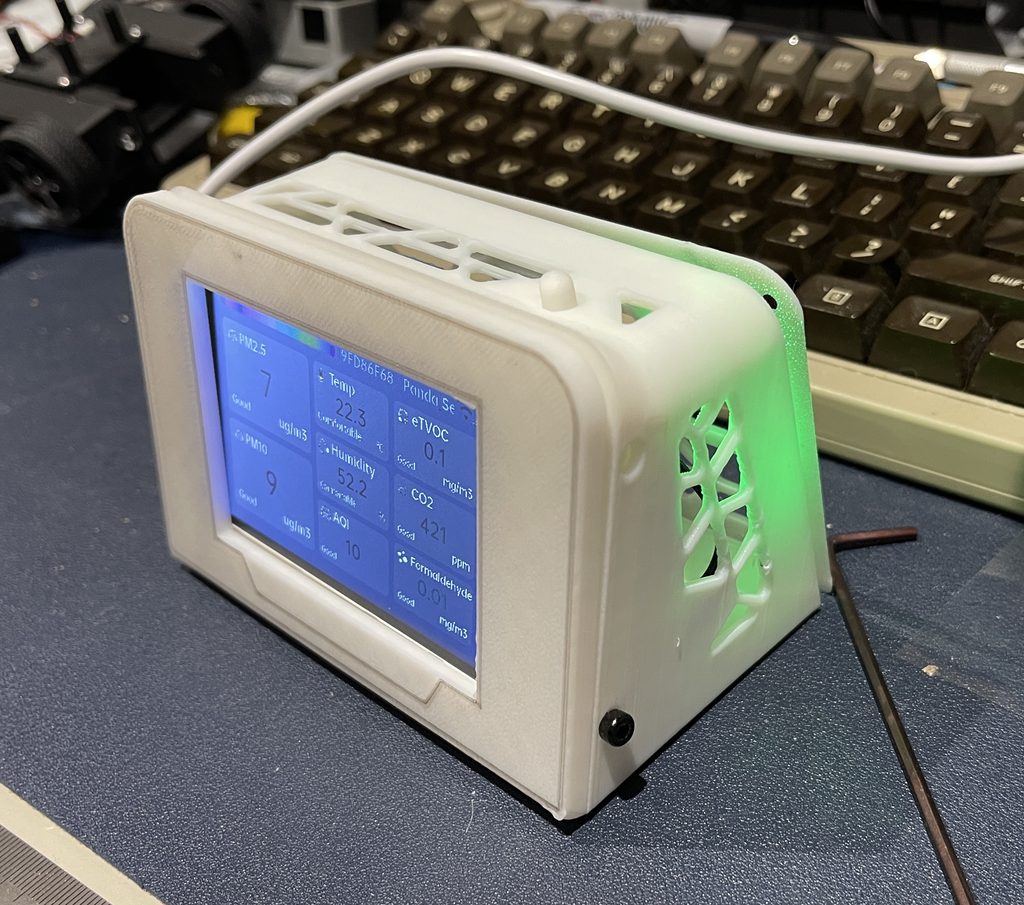
What is the BIQU Panda Sense Pro?
The Panda Sense Pro is BIQU’s “networked air quality monitor”. In reality, it’s a kit comprising a nice 3.5in touch screen, and an ESP32-S3 based main board, running on 5V via USB-C.
You print the case yourself, what you get in the box is the electronics.
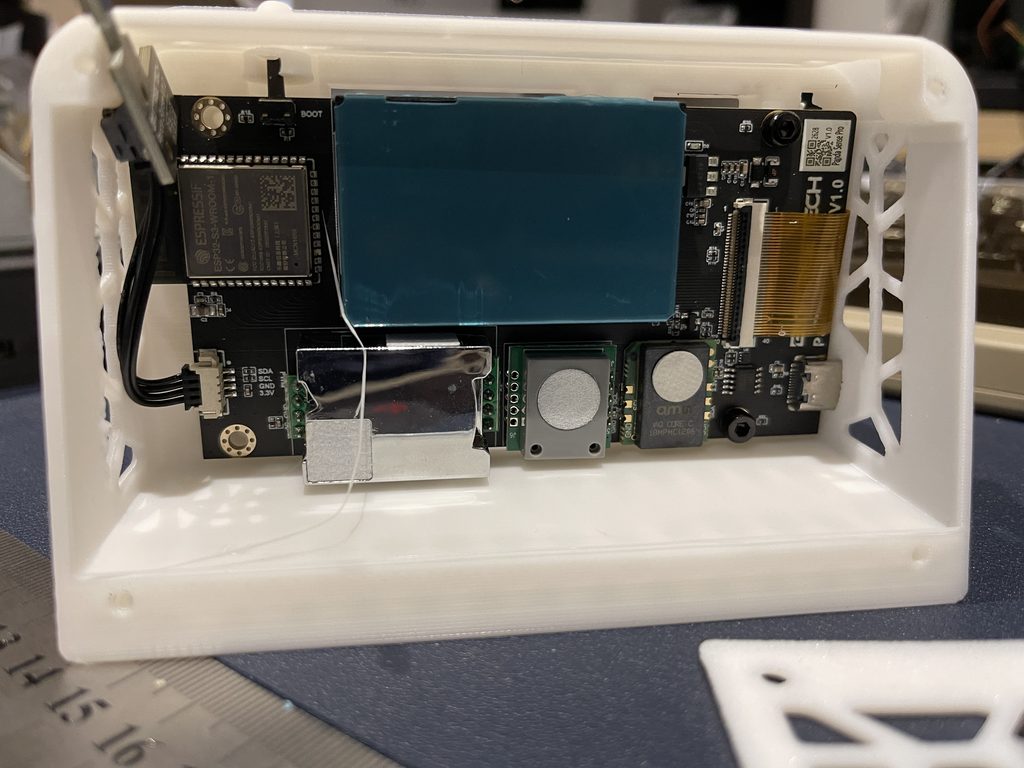
What does the half of the magic, and makes the kit a worthwhile purchase, is a bunch of sensors: PM2.5/PM10 (TPM-510B), eTVOC (ams iAQ-core C), CO2, formaldehyde, temp and humidity.
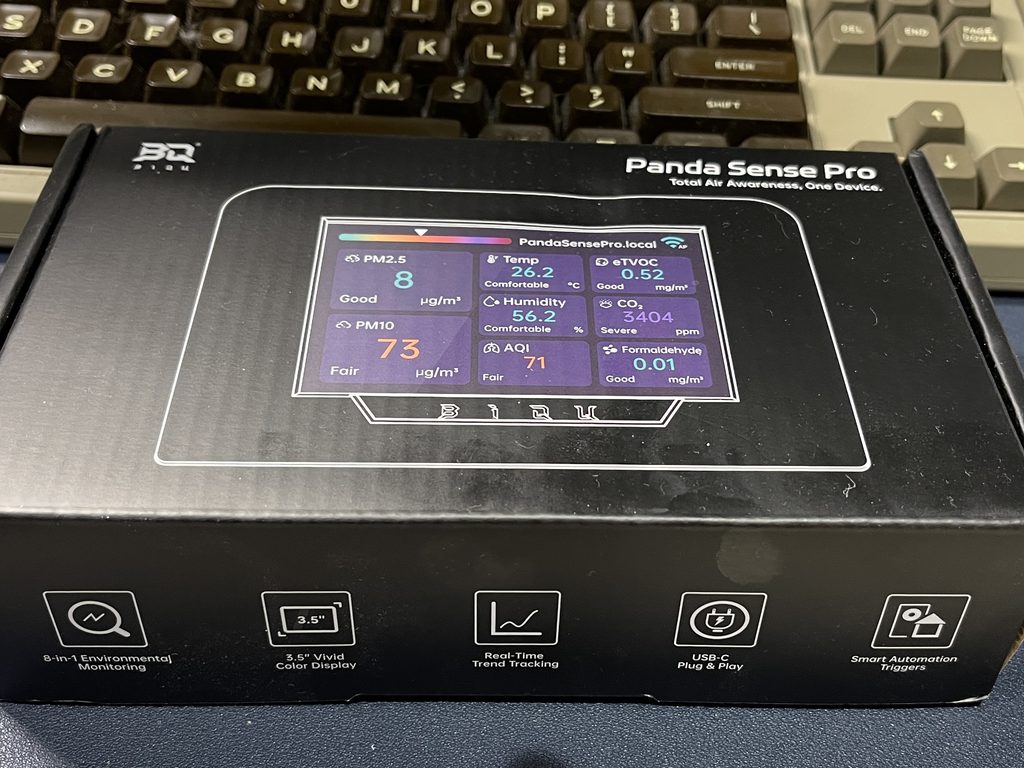
I guess the other part of the magic is the firmware that pulls everything together into a nice dashboard.
Yeah, you could put something like this together piecemeal, but you get the convenience here of all the component sourcing and coding being done for you.
3D Printing and Construction
3D printer files for the case are on GitHub, unfortunately with Chinese file names, there is very little in the way of documentation. It’s not a quick print either (3h15m), and third party designs that claim to be print-optimised are not much better than what they replace and are slower prints.
Assembly order matters if you don’t want to put strain on your ribbon cable like I did. It seems to work best with ribbon going first, and then the temperature board before the screen holder. The wiki diagrams seem to leave the cable out of the diagrams.
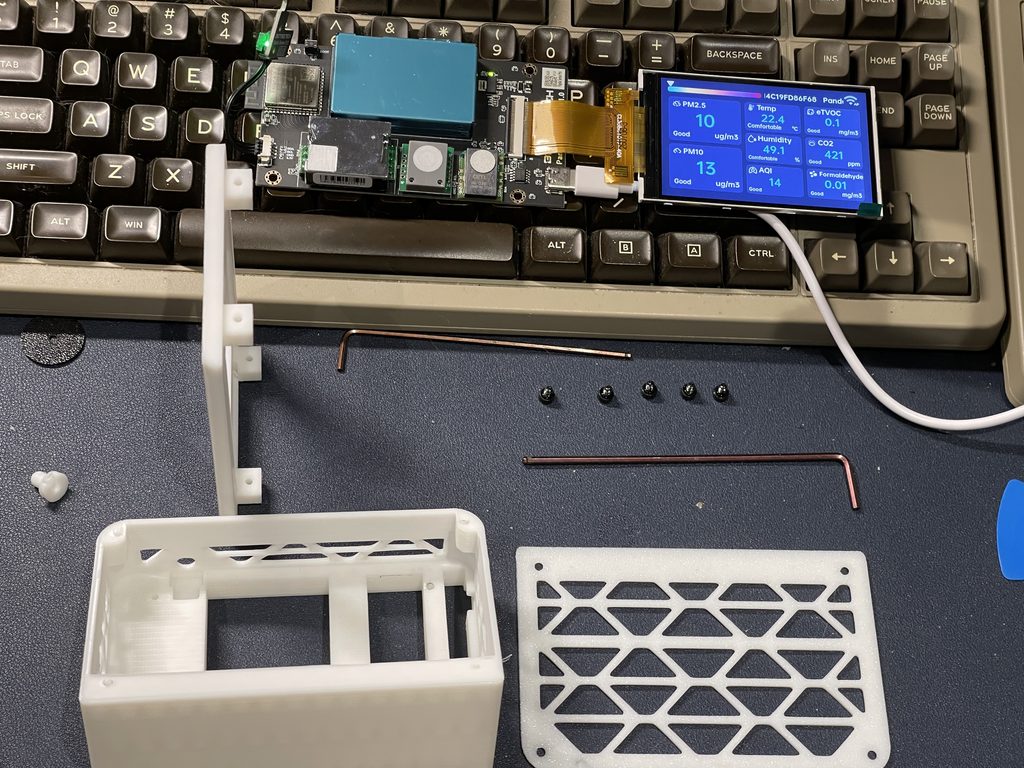
Another issue I had was the wiki calls for 13 screws in two sizes, the bag has 5, and nothing tells you that you need to buy the rest. Fortunately I have a bunch of spares, but seems a bit of an oversight.
Once you get the case printed and force the screen into place, it does work fine. When I get chance I will make my own design I think, but that is the nice thing about kits versus finished products.
Setting up the Panda Sense Pro
Setting up is fairly straightforward. It starts its own access point, then you give it your WiFi details. The main button cycles different screens and values, history graphs and screensavers.
As with the 3D design and documentation, the firmware has a bunch of issues (ug/m3 instead of µg/m³, US date format, English typos) which makes me a little concerned that the results are accurate, not that I really understand them …
Understanding the numbers
Speaking of understanding the output, the screen gives you eight numbers and fortunately a “Good” label, but not what any of them mean or when you should care.
Here is what I gather each one measures, with my readings on a normal day at the desk.
| Reading | What it measures | My reading | Good | Worth acting on |
|---|---|---|---|---|
| PM2.5 | Fine particles: smoke, fumes, the stuff that gets deep into your lungs | 9 µg/m³ | Under 15 (WHO 24-hour guideline) | Over 35, where the UK index leaves its low band |
| PM10 | Coarser dust, the same particle sensor | 11 µg/m³ | Under 45 (WHO 24-hour guideline) | Over 50, where the UK index leaves its low band |
| CO2 | How well the room is ventilated: breathed-out air that has not been replaced | 433 ppm | Around 420 is fresh outdoor air; under 800 is well ventilated | Consistently over 1,500 means improve the ventilation |
| eTVOC | An estimate of mixed chemical vapours from a metal-oxide sensor, not a measurement of any one chemical | 0.1 mg/m³ | Under 0.3 | Over 1, but treat it as a trend line. It tops out around 2.3 |
| Formaldehyde | One specific gas, given off by resins, MDF, some plywood and glues | 0.01 mg/m³ | Under 0.1 (WHO 30-minute guideline) | At or over 0.1 |
| Temp | Air temperature inside the case | 22.4 °C | 18 to 24 °C | Reads high if the sensor sits near the ESP32 |
| Humidity | Relative humidity | 46.2% | 40 to 60% | Under 30 or over 60 |
| AQI | One overall score worked out from the two PM readings | 13 | 0 to 50 (“excellent” on the Chinese scale the numbers match) | Over 100 |
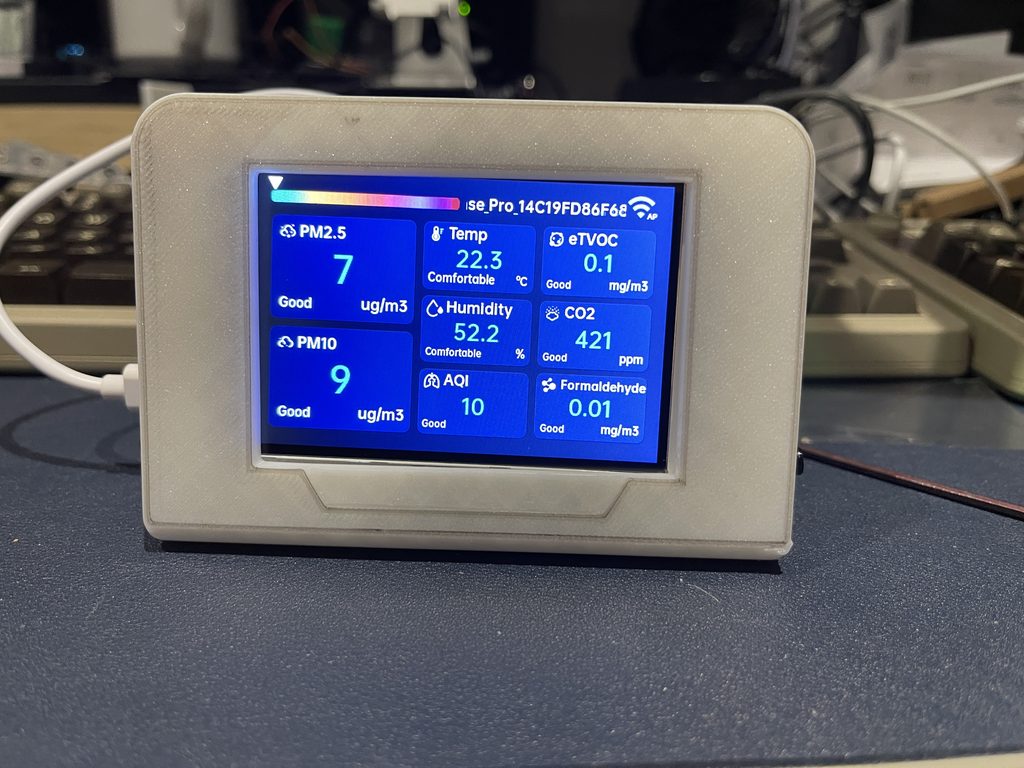
My case build left the sensor next to the ESP32, which pushes the temperature up, and of course I am in a particularly damp area of a damp island so YMMV.
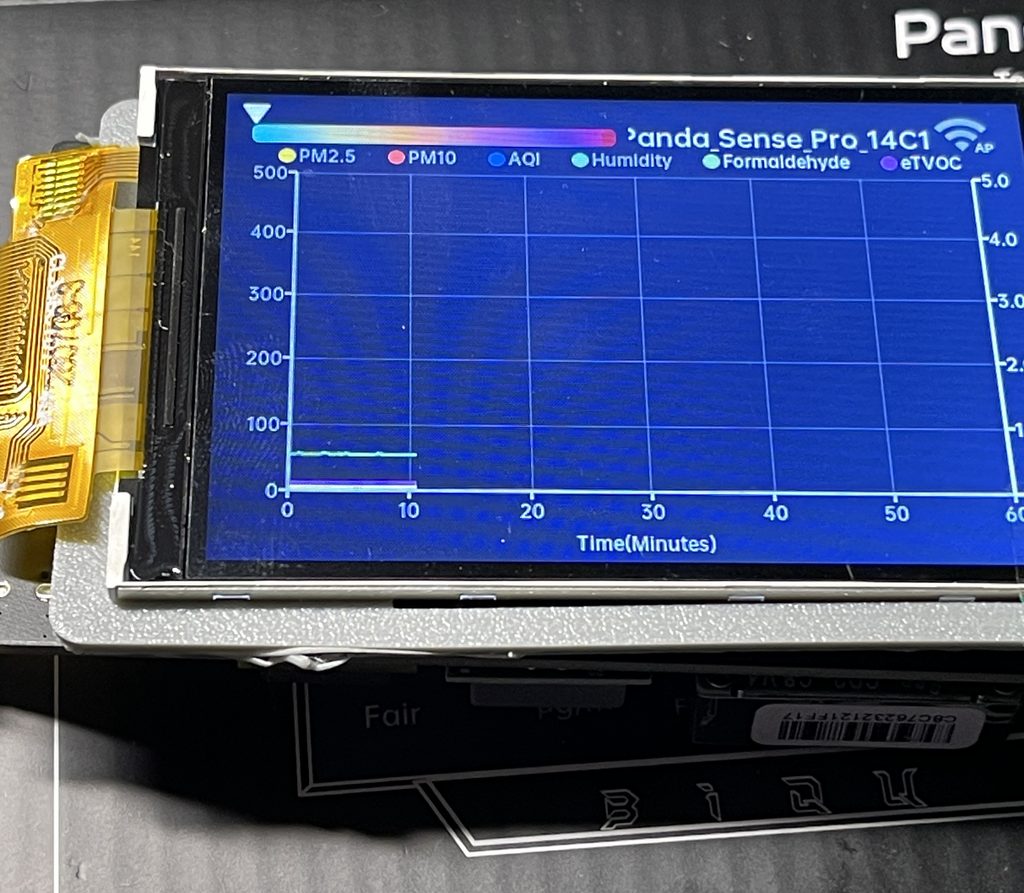
With two 3D printers running PLA, one open frame and one enclosed, all PM, AQI and eTVOC stayed flat at the bottom. The history graph puts everything on a 0 to 500 axis, so normal indoor values sit on zero and small changes are difficult to impossible to spot. I guess it is intended more to report bad values than ok ones?
BIQU Panda Sense Pro Review Conclusion
Good news, once it is built and working it looks great, the screen is clear and bright. It even looks pretty ok on my desk. I think I can do better (he says setting himself up for a fall) so I might follow up with my own case design.
OK news is the sensors, which are the main object of the product, seem to do the job, though as mentioned earlier it’s not like I knew what to expect or have any way to test if they are accurate.
The bad news is the case and the build experience let it down, as does the lack of documentation. Fortunately these are all things that can be easily fixed without changing the product itself.
If you are concerned about your air quality, I would say check out the BIQU Panda Sense Pro and see if it makes sense for you.
BIQU sent me the Panda Sense Pro for this review. They have not seen this article before publishing and had no say in what it says. Links to BIQU are affiliate links, so if you buy through them I may earn a commission at no extra cost to you.

 Learn SQL, Step by Step