

The xTool F2 Ultra is the latest flagship laser from a company that has consistently lead the field in terms of ease of use, safety, and innovation. What we are looking at today is an updated and upgraded version of an already stellar machine, offering more advanced features and two powerful laser sources in one compact device.
But does it truly deliver enough power, versatility, and ease of use to justify its price?
Let’s explore the features, technical specs, practical performance, and key considerations of the xTool F2 Ultra.
Whether you’re already familiar with laser equipment or just starting out, understanding what makes this machine unique will help you decide if it’s the right fit for your projects.
What’s Different About xTool F2 Ultra
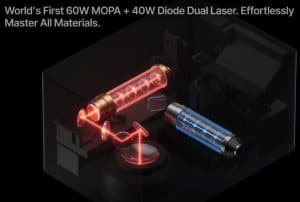
The xTool F2 Ultra is a high-performance desktop fiber laser that combines two different laser sources into one machine: a 60W Mopa fiber laser and a 40W diode laser. This combination adds abundant flexibility for makers and small manufacturers working with various materials that can’t be marked by other types of machine.
Key Specifications
- Dual Laser System: A 60W fiber laser (Mopa) + 40W diode laser.
- Speed & Precision: Uses galvanometer mirrors for rapid engraving, up to 15,000 mm/sec.
- Enhanced Marking: Better control over laser settings allows for color and custom markings on metals.
- Safety & Convenience: Fully enclosed with filtration, sensors, emergency stop, and replaceable parts.
What is a Fiber Laser and What Does MOPA Mean?
Fiber lasers are highly focused light sources used primarily for metal marking and engraving. They are more precise and much faster compared to traditional CO2 or diode lasers.
Mopa (Matrix of Pulse Amplitude) technology allows the laser to modify how it fires, the pulse frequency and pulse width, which expands the creative possibilities.
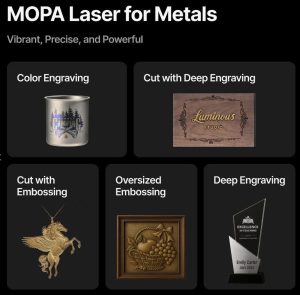
This enables the machine to:
- Achieve color markings on metals like stainless steel and aluminum (at certain angles).
- Generate white or black marks with different contrasts.
- Offer higher, finer-grained control over material settings.
How does the xTool F2 Ultra compare to traditional diode or CO2 lasers?
While diode lasers are typically less powerful but great for wood and plastics, fiber lasers like the F2 Ultra are optimised for marking or even cutting into metals. Galvanometer mirrors (tiny rotating mirrors) enable extremely high-speed scanning, making engraving and marking much faster than traditional gantry-style systems that have to traverse longer distances, typically use belts, and carry more weight.

xTool Ultra Design and Features
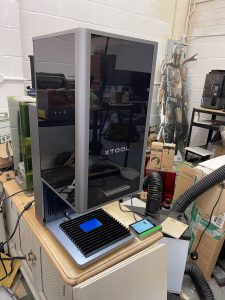
This machine looks great and feels very premium. I would put it even higher quality than the already excellent F1 Ultra.
- The F2 Ultra is fully enclosed with a protective cover, protecting your eyes and your lungs.
- The cover is darker than previous models, mainly due to the visible diode laser, but it’s designed to provide internal safety against laser exposure.
- The exhaust system is integrated, with removable filters and ventilation options for dust and fumes.
- Available working area measures approximately 220 x 220 mm before the addition of the additional conveyor belt.
Auto Focus & Alignment

The machine offers two focus methods:
- Using red and blue laser dots for visual alignment.
- An auto-focus system with dual 48-megapixel cameras, providing improved accuracy for precise project placement.
Performance and Testing
The first thing you’ll notice about the F2 Ultra is its speed. The manufacturer rates it at an astonishing 15,000 millimeters per second. In a simple test on a metal business card, the laser completed a design in just a couple of seconds, showing just how fast it can move.
Not only is it fast, it is powerful enough to take advantage of that speed. Remember, the darkness or deepness of the engrave or cut is a combination of power and speed.

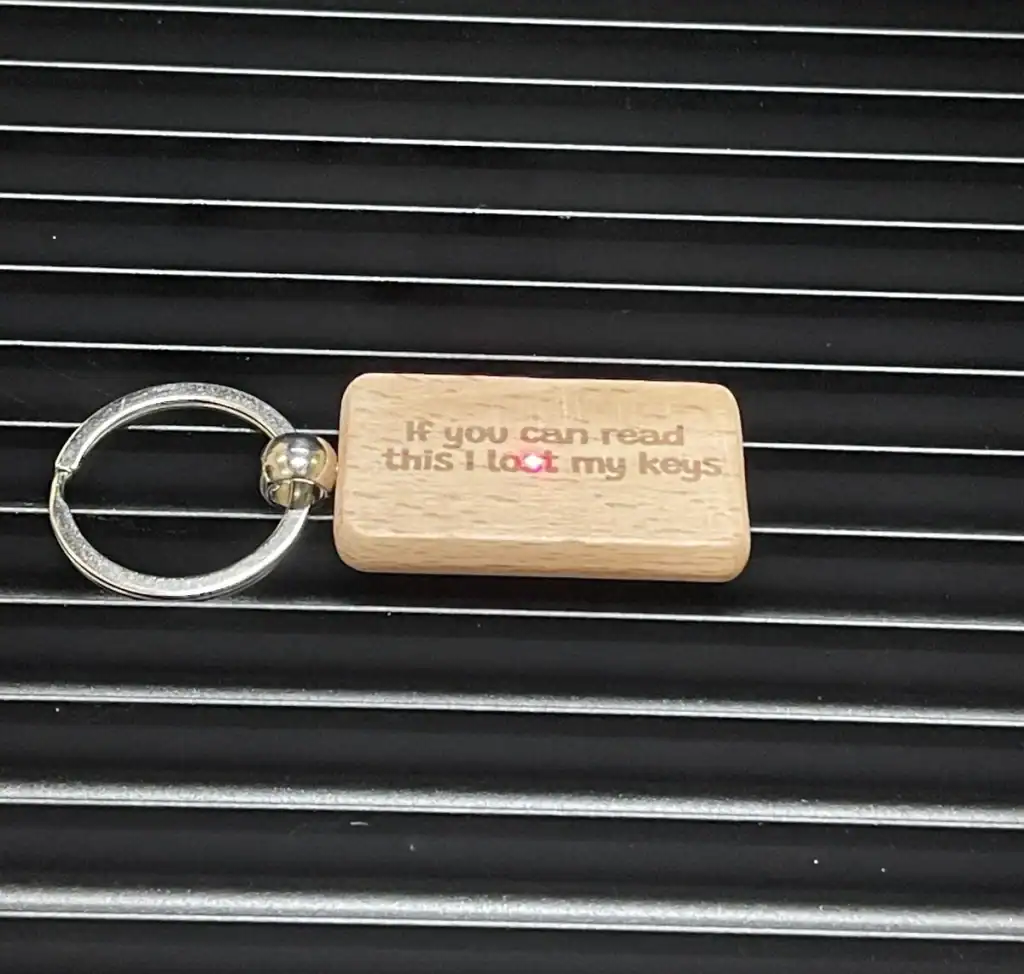
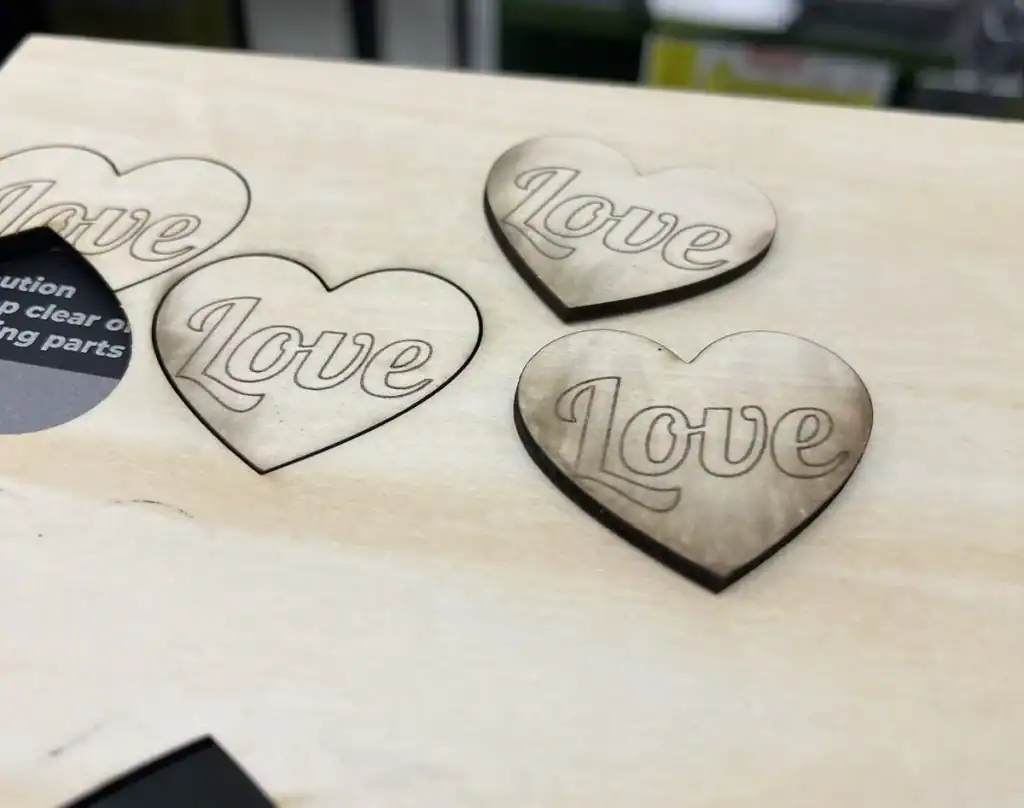

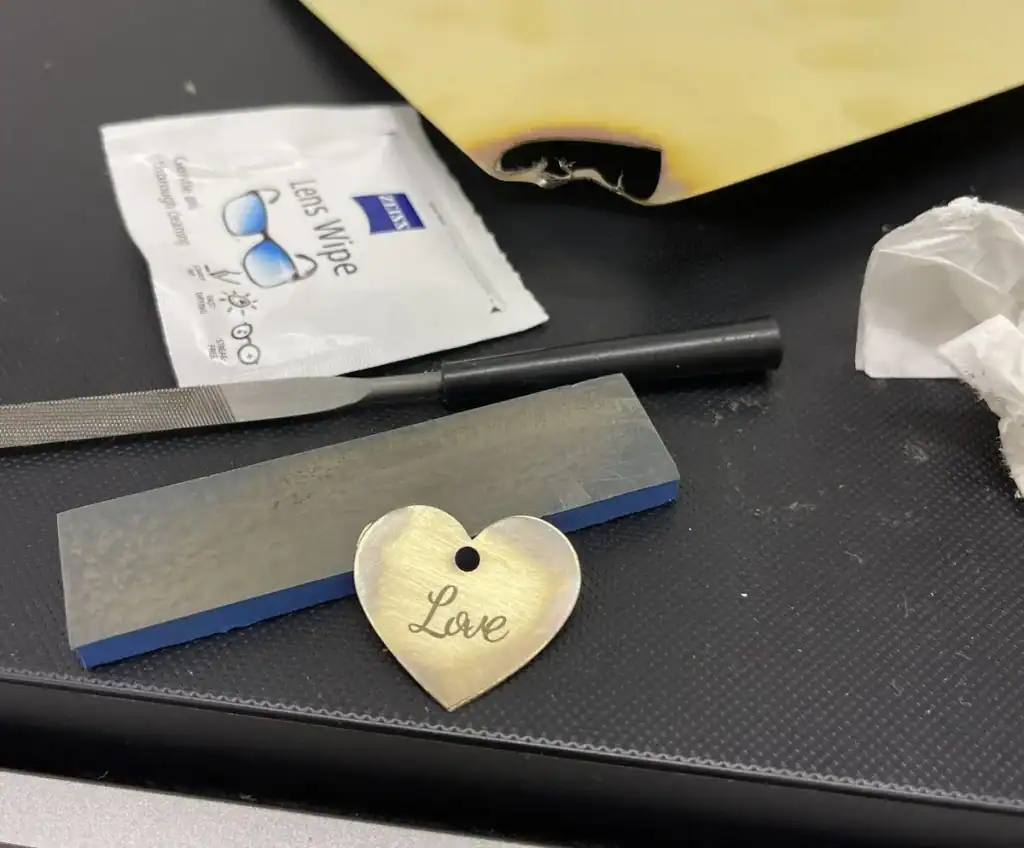
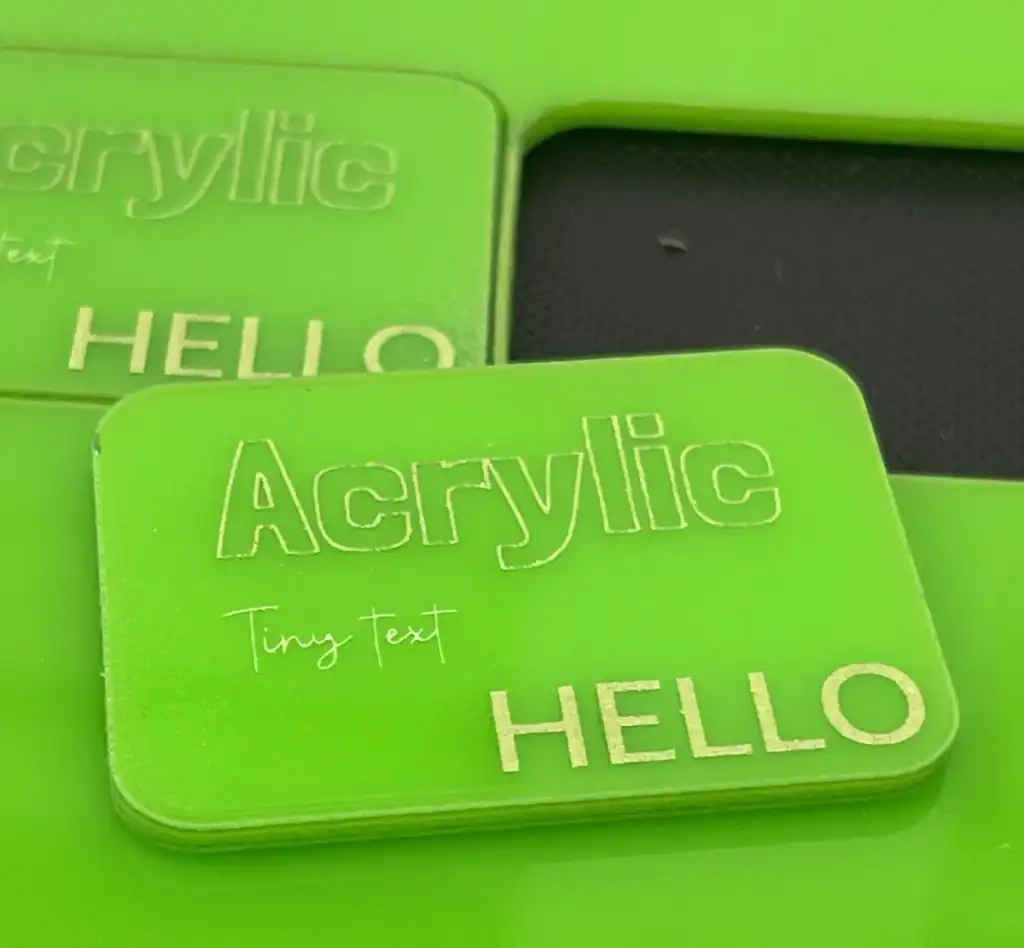
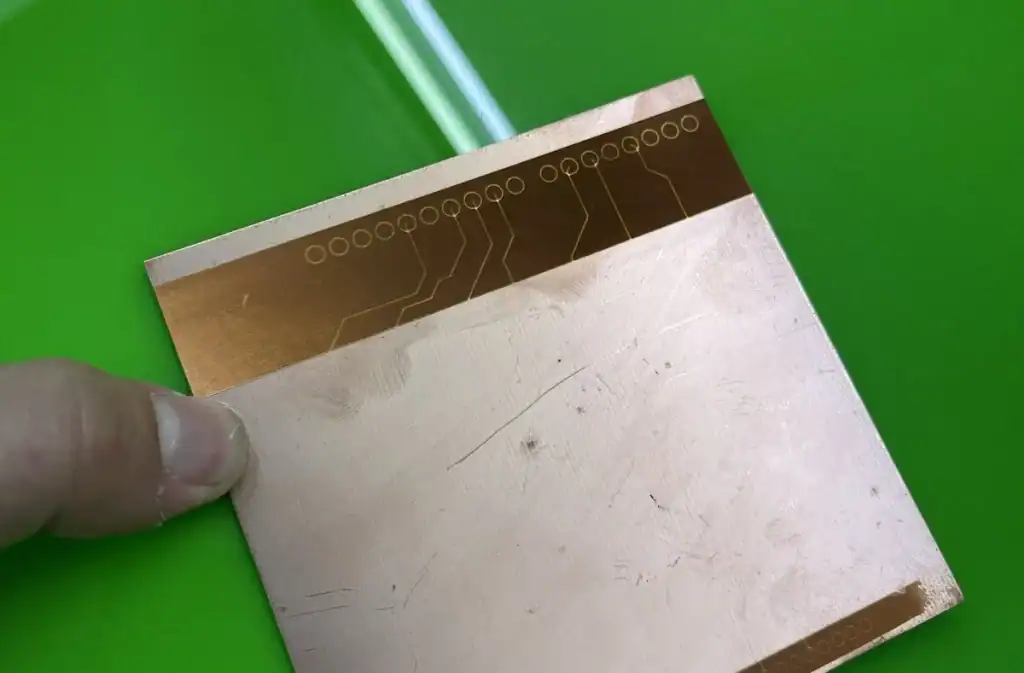
This combination of power, speed, and ease of use is one of the machine’s biggest strengths.
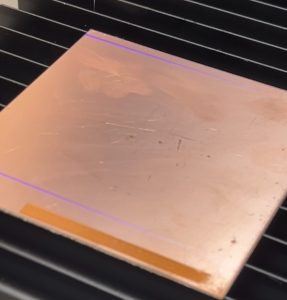
I am definitely going to keep testing PCB engraving as these first results are very encouraging!
Color Marking/Engraving:
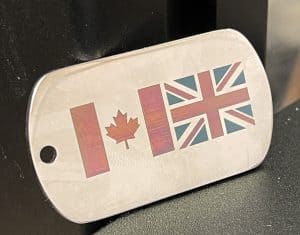
If viewed at the correct angle, the Mopa fiber laser can produce colours, especially on metals like stainless steel, but only when viewed at the correct angle.
Can do embossed or 3D engravings on soft metals like brass, producing textured effects much deeper than any laser I have used before. Still takes ages though, so costs to customers would need to take that into account.
Cutting:
Cutting wood is not really the strong suit of this laser. Due mostly to the absence of air assist which makes clean cuts on thicker materials challenging.
Acrylic I managed pretty well, but obviously certain colours and transparent is out entirely due to being a diode and not Co2.
Metal cutting is possible, though my technique needs a lot of improvement!
xTool Software (Free and Good!)
Speed and power is only useful if the machine is easy to control. The F2 Ultra works with xTool’s free Creative Space software and it is fast surpassing what was previously seen as the leader, the paid software LightBurn.
- Place Your Material: Put the item you want to engrave, like an aluminum business card or a wooden box, onto the machine’s work bed.
- Get a Preview: The machine’s built-in 48-megapixel camera takes a detailed photo of the item and shows it on your computer screen.
- Position Your Design: Drag and drop your artwork or text exactly where you want it on the image of your material. This high-resolution preview ensures perfect placement, plus I love the framing feature that paints a laser box around the object right on the bed.
- Choose Your Settings: You can select a large catalogue of visual presets for the material you’re using (like “Black Acrylic” or “Pine Wood”) or enter your own custom settings. Note this is not just a list, you pick visually using a preview of what the effect might look like on the actual material!
- Press Start: Click the start button in the software, then press the large green button on the machine’s colour screen controller to begin.
- You can even use local Wifi once you have set it up tethered via USB, which is super convenient and you only really know how much so when you go back to using a non-networked device!
Limitations
- No air assist system: blowing air over cuts or deep engraves usually helps with cleaner and faster cuts, so having no air assist means this is not a cutting machine unless you are prepared to do some sanding.
- Size restrictions: the small work area means it’s not suitable for large items unless they can fit into 220 x 220 mm or by tiling your design/planning to use with the conveyor.
- Speed still a factor: Even despite the high power and the fast galvo, don’t expect high-quality colour engravings or deep embossed designs to be quick – they are still extremely time-consuming so keep that in mind when setting expectations.
- Diode No transparent acrylic for you! That said, it is 40W blue laser which is powerful.
Is the 60W Mopa Fiber Laser worth it?
- For metal marking and engraving, especially on stainless steel and aluminum, this is the best option on the market.
- For metal color marking and customization, the combination of easy software settings, the fully enclosed design, and the Mopa technology provides superior control compared to competitor’s fiber lasers.
- For projects involving wood and plastics, the 40W diode laser complements the fiber system, offering broad material compatibility, but it is not designed as a laser cutter.
- Keep in mind also, cuts at the edge of the bed will be angled due to the laser having to reflect rather than be directed straight down. Keep this in mind for assemblies or dimensional accuracy!
xTool F2 Ultra Price Comparison & Value for Money
- The F2 Ultra costs around £6,000 for the dual-laser setup.
- A single laser version with just the 60W fiber laser can be found at a lower price.
- Compared to other high-end galvanometer systems, the F2 Ultra is competitively priced considering its dual-source capability, full enclosure, excellent autofocus, dual camera assisted design alignment, and user-friendly software.
- xTool Creative Space offers an intuitive interface for engraving, with features like point-and-click visual settings selection, automatic edge detection, batch processing, and even AI-driven art generation.
- Most comparable machines use the commercial software LightBurn, which is powerful but has a more difficult learning curve. The software chosen can massively influence ease of operation, especially for beginners.
Should You Buy the xTool F2 Ultra?
Here are scenarios to help determine if this machine meets your needs:
| Scenario | Answer |
|---|---|
| You already own a fiber laser or diode laser and want an upgrade for better speed, safety, colour marking, or versatility? | Yes, this machine offers significant upgrades over the competition, especially with the dual laser sources. |
| You want to start working with metals? | Absolutely, this machine’s Mopa fiber laser excels here. |
| Your main focus is engraving wood or plastics? | A dedicated diode or Co2 laser with high wattage might be more cost-effective unless you also plan to work on metals frequently. The xTool S1 has 40W and IR swappable heads with more usable work area, that might be an alternative worth checking out. |
| Size constraints matter for your projects. | The 220×220 mm work area is more than sufficient for engraving gifts, jewellery, merchandise, or other small parts, but not for large construction items. |
| You need fast, high-quality color markings on metals, with ease of use? | Yes, its advanced camera system, helpful documentation and community, and easy software make positioning and project settings the most straightforward of any brand on the market by far. |
Bottom Line
The xTool F2 Ultra stands out as a versatile, high-powered laser system suited for metal makers, small manufacturers, and dedicated crafters. Its combination of a 60W Mopa fiber laser and 40W diode laser enables a huge new range of creative and practical possibilities, from high-speed engraving to even cutting.
While the form factor does create some limitations, such as a small work surface and lack of air assist, it more than makes up for it with advanced features into a user-friendly package. For those prioritising metal marking, engraving, and customisation, the F2 Ultra offers value that beats higher-priced competitors.
Your main consideration, as always, is what do you need? Carefully consider your material requirements, project size, and budget to determine if this machine aligns with your goals now and in the future.
For the right person, a laser system like the xTool F2 Ultra means gaining a powerful tool that can open up a wealth of possibilities, and turn your ideas into precise, professional, repeatable results.
Get All the Details
Check out all the information about the F2 Ultra and the most up to date pricing over at xTool

 Two Trees TTC6050 CNC Router Review