
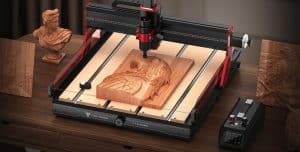
The TwoTrees TTC6050 CNC machine stands out in a highly competitive market by offering a combination of solid build quality, user-friendliness, and unique features, along with good affordability.
Here I would like to give you an overview of the TTC6050 based on my firsthand testing, explaining why this machine can be a powerful tool whether you’re a hobbyist, educator, or small business owner. We’ll cover its key features, setup steps, testing process, and what makes it a noteworthy choice in its category.

This machine isn’t a toy. It’s a serious bit of kit with a rigid frame, good quality components, and a work area large enough to get stuck into real projects.
Let’s take a look at what I’ve found out so far.
Unboxing and Initial Setup
One of the first impressions of the TTC6050 is its weight. A heavier CNC machine generally indicates robust construction, stability during operation, and a longer-lasting build.
Lifting the TTC6050, it clearly feels substantial, and I made the mistake of underestimating it while unboxing.
Yes. It is a kit, like its smaller brother the TTC450, though that required less assembly and was a fair amount lighter.
Over the years I have built so many machines, the novelty has worn off. Fortunately, Two Trees made the TTC6050 build straightforward, including everything you need:
- Screws, nuts, and washers
- Small tools for assembly
- A detailed step-by-step manual
- Connecting cables
- Protective stickers on ports to remove
You even get ear protection!

Pro Tip: Pay extremely careful attention to seemingly symmetrical parts, failing to do so can lead to severe headaches later on, as I discovered.
The included manual guides you through the process clearly, and the careful organisation of all necessary components will mean you won’t need an extra trip to the hardware store or your spare parts bin. Yes, I lost a screw during my disassembly and reassembly.
Assembly Process
Assembling the TTC6050 involves attaching the machine’s frame components, connecting the motors to the control box, and installing the spindle and infrared light components.
Rather than use the included spindle, I switched out to a router right away for the extra power. A bracket for this came in the package, which initially confused me as I tried to use the one that came with the trimmer!

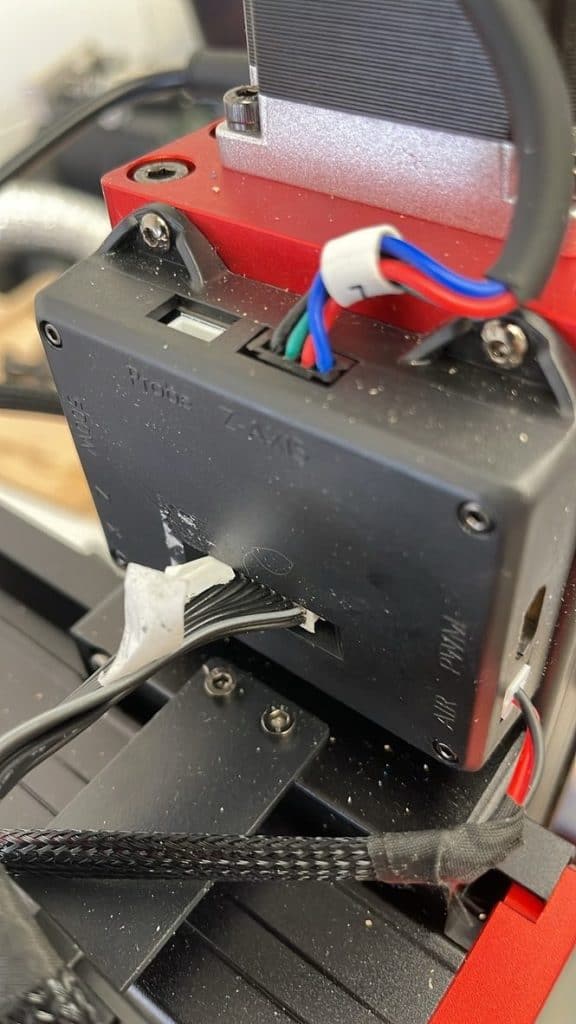
- The CNC features three motors, one for each axis. Connect each motor to the control box.
- Peel off protective stickers from ports to ensure proper connections.
- Attach the limit switches, which help prevent the moving parts from overextending or hitting unintended areas.
I love the inclusion of protective covers all over the machine to prevent dust and chips getting all up in difficult to clean parts – another example of the extremely thoughtful design.
Added Features
At first glance, the TTC6050 does not look that much different to other machines in the category, but look closer and beyond the go-faster red design (which I really like), there are other things that make this CNC stand out from the crowd.
Manual and Electronic Control:
You can jog the machine manually or via the controller. Run job files from SD cards or software.
Laser Module:
The 20W diode laser adds a whole extra set of options. Swap it in for engraving on softer materials or finer details. Works straight out of the box.
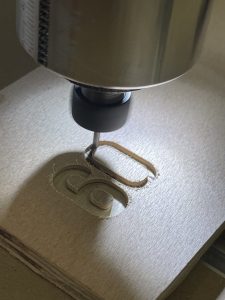
Workspace Light:
Another nice included bonus is the built-in work light which is pointed at the business end of your spindle and brightens up your work area, making it easier to see your situation during operation.
Safety and Included Accessories:
There are infrared stop sensors for safety wave your hand through the beam and the machine halts. Also includes clamps, a Z-probe (manual type), and a vacuum port.
Operating the TTC6050: Software and Testing
The CNC works well with Easel, a browser-based and beginner-friendly application.
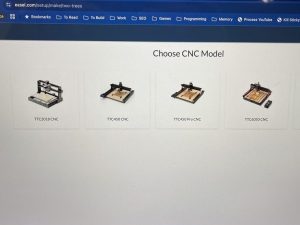
Easel is free, and allows users to design, set up, and control their CNC with an unusually intuitive interface.
It is ideal for newcomers because it simplifies complex processes like toolpath creation and machine calibration, plus it has a built-in step for probing to find the correct start Z height.
The machine also works nicely with UGS, Candle, and LightBurn (for laser).
First Test (Fail then Success)
To verify the machine’s capabilities, my first actual engrave and cut test involved carving a piece of scrap baltic birth plywood:
- Threw some sketched curves and text onto the canvas.
- Set the text to engrave, the inner outline slightly deeper, then the outside all the way through.
- Straight two flute end mill bit.
- Clamps and tabs (I usually use double-sided tape or blue tape and glue).
- Set the X/Y and Z starting point
- Picked the supplied Easel tool parameters which are pretty conservative – likely set for the included 500w spindle.
- Ran the engrave.
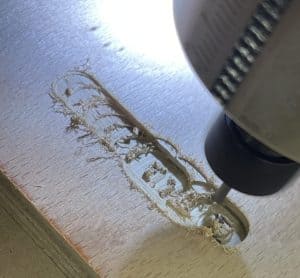
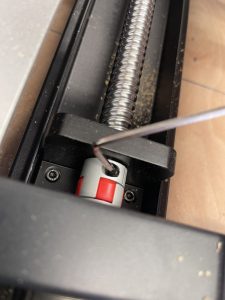
And … it was a miserable failure.
Turns out, after chatting with/moaning to James, it was a combination of loose couplers and possibly a loose connection.
The former I *thought* I had avoided because I did hand-test them, obviously there was just enough give. Latter issues were likely caused by how much disruption digging down into where you can reach the couplers caused.
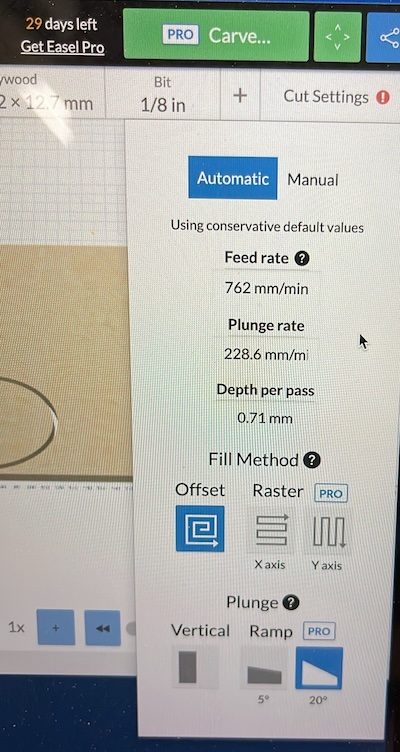
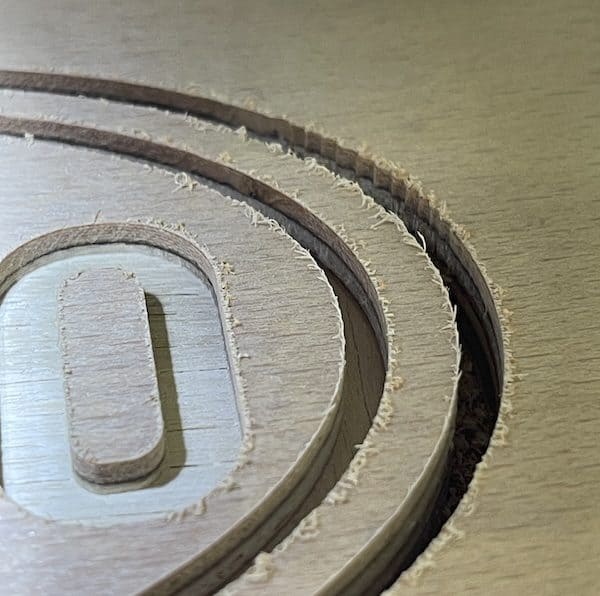
Eventually the engraved design appeared clean and neat, demonstrating the CNC’s precise control once everything is tightened and aligned. Yeah, the bit wasn’t the perfect choice – a v-bit would be cleaner and more detailed for lettering, but the chosen bit was better for the cut-out pass I think.

There was some concerning chatter at the very end of the cut so I will need to ensure I get the correct feeds and speeds on future runs.
I also got a small shock from trying to reseat the connections while the power was on. Be warned!
Two Trees Dust Collection Vacuum System

My kit came with an excellent bonus, a dust collection vaccuum to help remove dust and debris during milling. Do not underestimate this, it’s a handy addition for keeping the workspace clean, your lungs healthy, and ensuring better cut quality.
Unfortunately it does not fit the CNC when the trim router is installed, hecking darn it.
Cutting Power
The 500W spindle provides enough power for most hobbyist tasks but if you are looking for more power consider upgrading.
Is the Two Trees TTC6050 Worth It?
Absolutely, the TTC6050 holds up well in real workshop conditions. Its sturdy build, ease of assembly, and user-friendly software make it accessible for beginners but capable enough for more serious projects.
- Solid, heavy construction for stability
- Fast, clean carving
- Excellent out-of-the-box calibration
- Advanced electronic control box
- Complete kit with all necessary components
- Compatibility with free software like Easel and open source options
- Ability to handle mid-size projects
- Versatility (spindle and diode laser options)
- Potential for upgrades and customisations
Bottom Line
The TTC6050 CNC machine from Two Trees is a robust, well-designed, affordable CNC, ideal for hobbyists, maker spaces, and small workshops.
Its combination of build quality, thoughtful extras, and straightforward setup removes many common hurdles for newcomers to CNC.
I will continue to be test it out on real projects over time, and will share more insights into its capabilities and potential in future articles.
If you’ve got any ideas for tests, projects, or materials to try, let me know!
Get More Info
Get all the official details and check the best, most up to date price, at the official store.

 AtomStack Kraft Review: Innovative Combined Dual Laser Engraver