
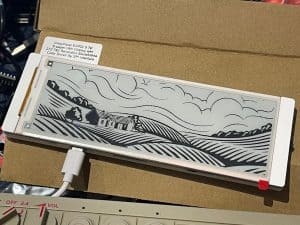
Looking for a high-quality, energy-efficient display for your Arduino or MicroPython projects? The Elecrow CrowPanel 5.79” E-Paper ESP32 display could be exactly what you need.
This display combines the benefits of e-ink with the computing power of the ESP32-S3 chip, making it perfect for low-power applications like weather stations, dashboards, and home automation.
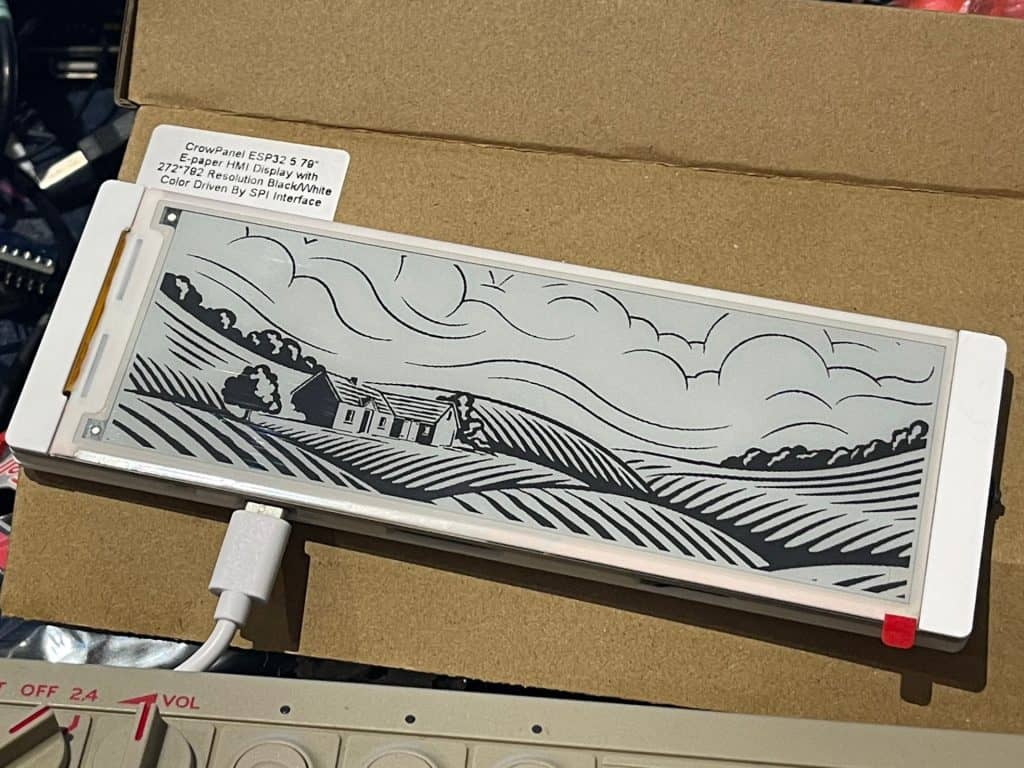
Let’s look at the features, performance, and how it holds up for programming real-world applications.
What is the Elecrow CrowPanel 5.79” E-Paper ESP32 Display?
The Elecrow CrowPanel 5.79” E-Paper ESP32 display is an “e-paper” module with an integrated ESP32-S3 microcontroller.
This setup provides low power consumption, wifi connectivity, and excellent readability.

Its 5.79-inch, 792×272 pixel resolution makes it beautifully suited for things like digital signage, e-book readers, and custom dashboards.
Key Features and Specifications
- Microcontroller: ESP32-S3 chip, capable of operating up to 240 MHz.
- Display: 5.79-inch black-and-white e-paper screen with a 272×792 pixel resolution.
- Connectivity: SPI interface for fast and reliable data transmission.
- I/O: 2×10 Pin GPIOs for flexibility, SD card slot for additional storage, and a battery interface for off-grid power solutions.
- User Interface: Includes a menu button, a rocker switch for navigation, and several other control options for added usability.
- Power Options: Can be powered via USB-C or a lithium battery, with an integrated charging circuit.

Value for Money
The Elecrow CrowPanel is priced around $30, making it a highly affordable choice for both hobbyists and professional applications.
This is even better value considering competitor’s similarly priced modules such as the Waveshare 5.79-inch e-paper display lack an integrated microcontroller.
You can purchase the CrowPanel directly from Elecrow’s official website or through platforms like Aliexpress.
Unboxing and First Impressions
The Elecrow CrowPanel arrives in basic packaging, with bubble wrap to protect the display during shipping. It comes with a USB-A to USB-C cable, so you don’t have to worry about hunting for one.
A discrete plastic case protects all the vulnerable parts while still providing access to GPIO and the included buttons.
All in all it feels good quality, solid and reliable.
The Elecrow CrowPanel comes with a pre-installed demo program that on power-on immediately displays a functional menu system to allow you to familiarize yourself with the features.
This simple demo shows off the display’s capabilities, including rendering text in various fonts and sizes and displaying images. The user interface is controlled via the rocker switch on the side of the unit.
I would have loved to have been provided some quick-start documentation, or even a QR code with where to find tutorials, videos, and guides. As it stands it feels like you are kind of left alone to Google for this info.
Display Performance: Refresh Rate and Usability
The 5.79″ screen is clearly legible in good light, though it is not back-lit, and the rocker switch and buttons offer a comfortable user experience. That said, initially most people think it is a touch screen at first glance.
While the refresh rate is slower than you might expect from experience with traditional LCD displays, if you have ever used an e-ink Kindle you will know this experience is about typical for e-paper technology.
Switching between menu items or updating displayed content can take a couple of seconds but then the image persists indefinitely without requiring extra input.
Using the CrowPanel for a Weather Station
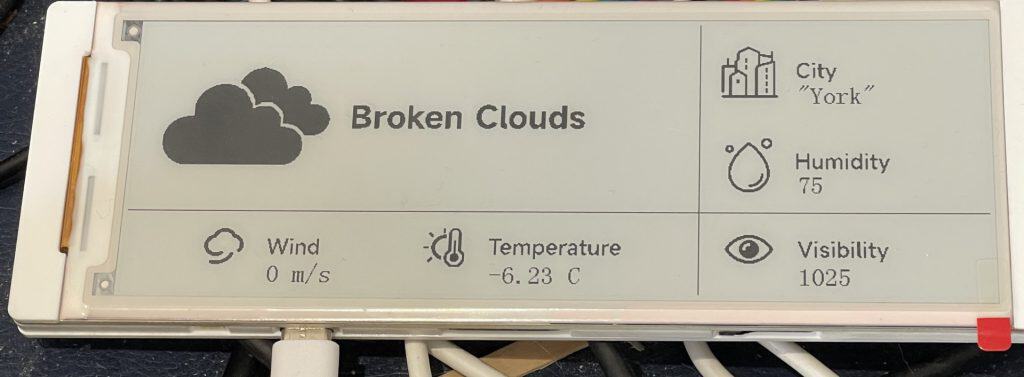
Elecrow offers example code for a weather station dashboard that pulls data from OpenWeatherMap and displays it on the e-paper screen.
As you can see all I needed to do was get my own API key and set the correct geographic location:
Challenges and Limitations
My immediate disappointment was the lack of good MicroPython support and documentation. You will see I did achieve some results all the same.
Plugging in the device occasionally crashes my mac too, other times it works fine provided it is not plugged in at boot. Very odd.
One of the things mentioned to me as a great enhancement would be vendor-supplied ESPHome support. For users relying on ESPHome for simple configuration and integration with platforms like Home Assistant, this can be a big deal.

Additionally, the CrowPanel uses a dual-driver setup with two SSD1683 drivers, which makes it more difficult to develop drivers. Fortunately, some talented people have done a great deal of hard work for us.
Finally, the examples use a Windows-only bitmap conversion app which makes it difficult for Linux and Mac users to create compatible images for the device.
Using the Elecrow CrowPanel 5.79” E-Paper ESP32 Display with MicroPython
While Elecrow kindly provides Arduino code examples, as far as I can tell they do not offer any MicroPython libraries. This makes working with the display more difficult for a lot of people, but there is one user-generated library available.
MicroPython Hello World Test Example
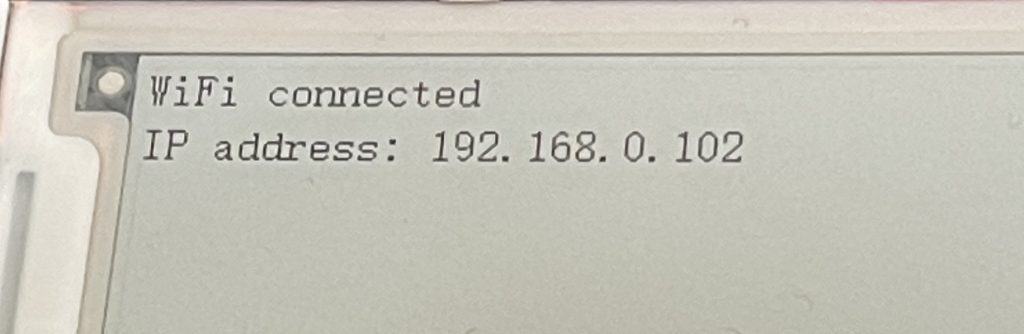
Here is a basic example of connecting to your local Wifi and outputting text to the e-paper display:
import time
time.sleep(1)
# short sleep to CTRL+C if something goes wrong

# Wifi
import network
wlan = network.WLAN(network.STA_IF)
wlan.active(True)
wlan.connect("WIFI", "WIFIPASSWORD")

# How many retries?
retries = 60

# wait for connection
while retries > 0:

    print('waiting for connection... ' + str(retries))
    time.sleep(4)
    if wlan.status() == 1010:
        # connection successful on ESP32, other devices return different codes!
        break
    retries -= 1


# connection successful
print('wlan connected')
status = wlan.ifconfig()
print('IP address: ' + status[0])
print('subnet mask: ' + status[1])
print('gateway: ' + status[2])
print('DNS server: ' + status[3])

# E-Paper display
import CrowPanel as eink

# Instantiate a Screen
screen = eink.Screen_579()

# prepare framebuffer
screen.fill(eink.COLOR_WHITE)

# Get current IP address
ip_address = status[0]

# Output message
screen.text("WiFi Connected", 30, 80, eink.COLOR_BLACK)
screen.text("IP address: " + ip_address, 30, 100, eink.COLOR_BLACK)


#Load buffer to screen and display
screen.show()
MicroPython Drawing Example
Unfortunately the bitmap editing tool that is provided only works on Windows, but there are a lot of drawing commands we can use all the same:
import time
time.sleep(1)
# short sleep to CTRL+C if something goes wrong

# This is the library that makes everything work
import CrowPanel as eink

# Instantiate a Screen
screen = eink.Screen_579()

# prepare framebuffer
screen.fill(eink.COLOR_WHITE)#

# diagonal line, to confirm correct display between screen zones
screen.line(50, 50, 750, 222, eink.COLOR_BLACK)
screen.text("diagonal line, to confirm correct", 280, 115, eink.COLOR_BLACK)
screen.text("display between 2 screens", 295, 135, eink.COLOR_BLACK)

# Draw arc
screen.text("Draw ARC from two semi-ellipses", 30, 180, eink.COLOR_BLACK)
screen.ellipse(130,170, 50, 50, eink.COLOR_BLACK, True, 3)
screen.ellipse(130,175, 50, 50, eink.COLOR_WHITE, True, 3)

#Load buffer to screen and display
screen.show()
Elecrow CrowPanel Conclusion
The Elecrow CrowPanel 5.79” E-Paper ESP32 display is a well-priced and feature-rich option for anyone working on low-power IoT projects. Having a built-in ESP32-S3 chip, quality build, and user-friendly features like multiple buttons, a rocker switch, and even a microSD card slot.
The CrowPanel is perfect for static content applications like weather stations, digital signage, or home automation dashboards. Its e-paper display provides excellent visibility and consumes minimal power.
However, it is worth noting that this is not yet a quick plug-and-play home automation solution by any means.
Overall, if you’re comfortable writing custom code and are looking for an affordable, low-power display with a solid set of features, the Elecrow CrowPanel 5.79” E-Paper ESP32 display is a great option.

 Anycubic Kobra S1 3D Printer Combo Review