
A while ago I had a friend who went deep, deep down the “prepper” rabbit hole. He was obsessed with what he perceived as the inevitable “SHTF” (💩🪭). I thought about him a lot when I was looking into the world of “off-grid communications”.
Elecrow sent me this ThinkNode M1 LoRa + GPS unit for free to review as the ThinkNode M4 (the power bank model) went out of stock. I agreed because gadget, but I have more daily use for a power bank. Radio feels more up Ben’s particular avenue of interest.
Knowing you have someone to communicate with is important, as we will discover. The “network effect” works against us here.
What the Elecrow ThinkNode M1 is
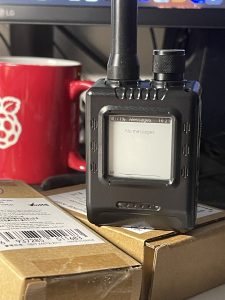
The ThinkNode M1 looks like a two-way radio, like a pocket CB radio or what they carry on police tv shows. It has an antenna, a little rotary dial thingy, and a real nice display (e-ink in this case, saves batteries). While it is a radio of some kind, it is not the kind I would normally think of.
Elecrow call it a “LoRa Meshtastic Communication Device“. That doesn’t really explain it very well.
ThinkNode M1 Specifications
Most of these specs don’t mean much to me but they are the tech that does the stuff that we need.
- nRF52840 + SX1262 LoRa Radio modules
- 1.54in e-ink screen
- GNSS (GPS, GLONASS, BeiDou, and QZSS positioning)
- BLE 5
- Built-in RTC clock
- 1200 mAh battery
- 868 MHz and 915 MHz versions (UK and Europe need 868)
- 81g (with case)
First power and pairing
On its own it doesn’t do much, you need to pair it with your smart phone and a Mesh communications application, and then you can do some chatting. By default it’s assumed you are going to use Meshtastic, so download that before doing anything.
My first beginner mistake, I powered up the ThinkNode before fitting the antenna. Transmitting with no antenna is apparently bad, it can damage a radio somehow? Low risk here because I wasn’t set up to actually transmit anything yet but this seems to be something to be aware of. The M1 manual does not actually mention it either.
Once you have fit the antenna, you need to start pairing with an app. A PIN appears on the e-ink screen, which is typed into the phone to confirm you give approval.
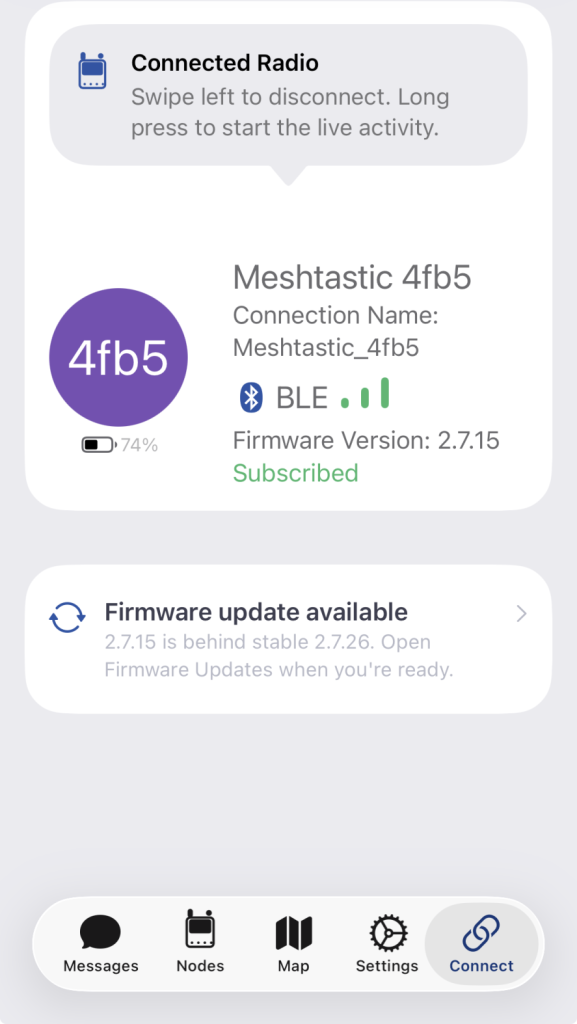
My unit arrived with Meshtastic 2.7.15 and the app immediately offered to update to 2.7.26.
You need to set a region so I selected Region EU_868 and then it will by default configure for you a LongFast channel preset, 869.525 MHz, and set the role to Client.
Like with regular radio communications, you choose a popular channel if you want to talk to people.
Annoyingly, despite using a smart phone that knows what time zone you are in, or even could present some kind of drop down list, setting your time zone requires an illegible POSIX string. That’s a software issue, it’s the same across any device it seems.
For the UK therefore I had to enter GMT0BST,M3.5.0/1,M10.5.0. Without it the screen would show UTC, an hour behind in summer.
The empty mesh
Yay, ready to try this thing out!
Not so fast … yes we are set up, but there is literally nobody to talk to in my entire county.
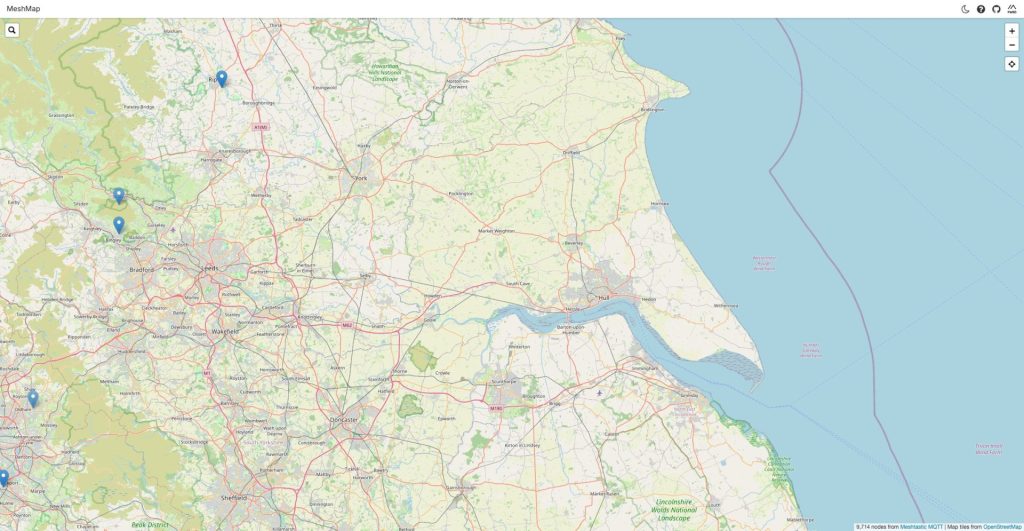
Checking meshmap.net confirms I am pretty much on my own. Yeah, it’s Long Range but not that long.
For the retro crowd it’s like I logged in to Usenet with no upstream. Without connections there is no way for messages to get passed around.
Now, don’t get me wrong, I’m not a chatty person. There’s a reason I didn’t get into CB radio, I don’t actually want to chat to strangers about nothing, but if I can’t reach anyone on the default “anything goes” channel, how am I going to get up and running on a private channel?
Introducing MeshCore
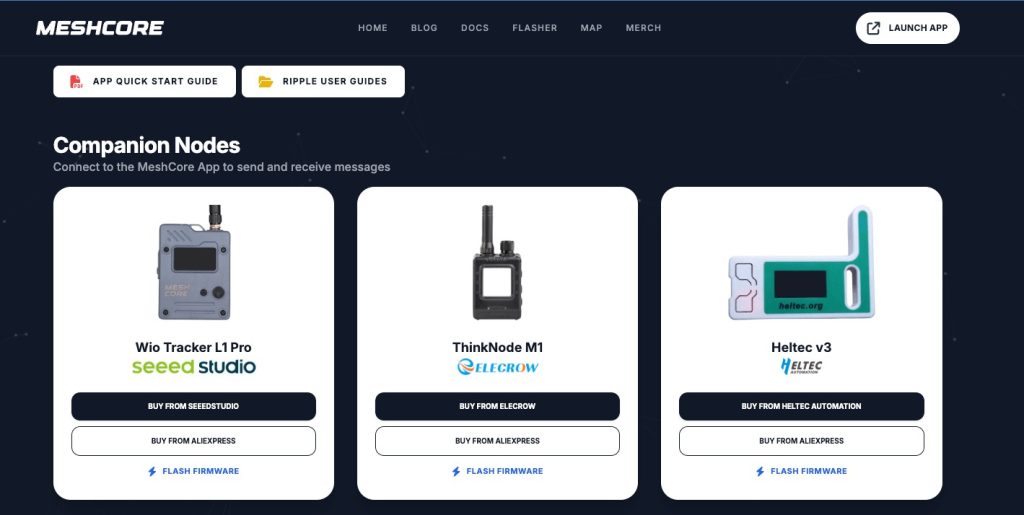
Apparently I am not alone, just using the wrong Mesh for my area.
Once I reflashed the M1 to MeshCore (the device is one of the featured companion devices on meshcore.io) I found more people, and right away!
It’s easy, if a little nerve wracking the first time. Head to the MeshCore web flasher in Chrome, double-click the recessed reset button using a paperclip or whatever, and the device shows up as an ELECROWBOOT drive over USB.
The local mesh was there all along, just in a parallel universe that I couldn’t reach. There are even repeaters in my town.
MeshCore is quiet until you send an advert, so maps mainly show infrastructure, not people, but there is plenty of infrastructure around me.
Holding my breath I sent “hello mesh” on Public and got a reply within minutes (over 13 hops). Four people answered within about fifteen minutes. One of them a moderator in the MeshCore subreddit.
Meshtastic ran all afternoon and found nobody. MeshCore found four people within fifteen minutes.
One etiquette tip, send radio checks in #test, not Public. Also don’t expect privacy. Anything outside of a designated private channel is effectively public on the internet, because observer sites decrypt and publish public and hashtag channels.
Back to Meshtastic: a network all of my own
I still needed to get this tested properly so I re-flashed the M1 back to Meshtastic and set up an M5Stack Cardputer ADV with the Cap LoRa 868. The latter I successfully flashed using the official Meshtastic flasher, the community build in M5Burner did nothing but boot-loop.
My setup was now my iPhone paired to the M1 and the Cardputer, being equipped with a keyboard and screen ran independently.
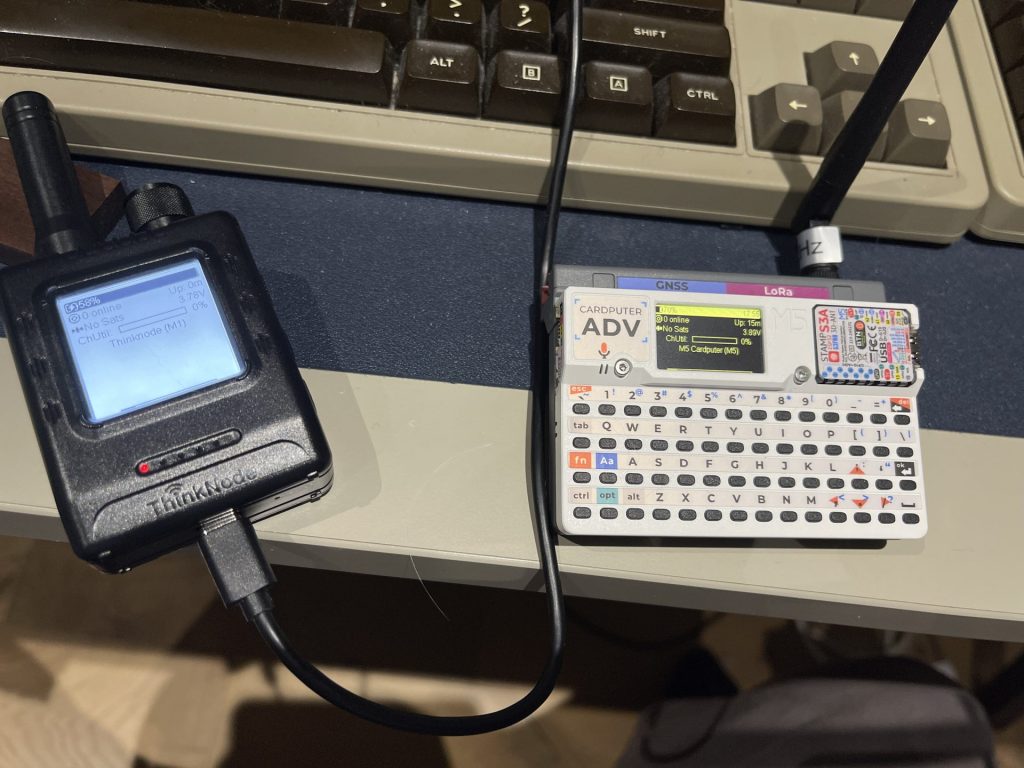
Both screens said “0 online” for the first few minutes. Node info can be swapped so they count each other more quickly.
Successful “Test” from the phone, through the M1, arrived on the Cardputer!
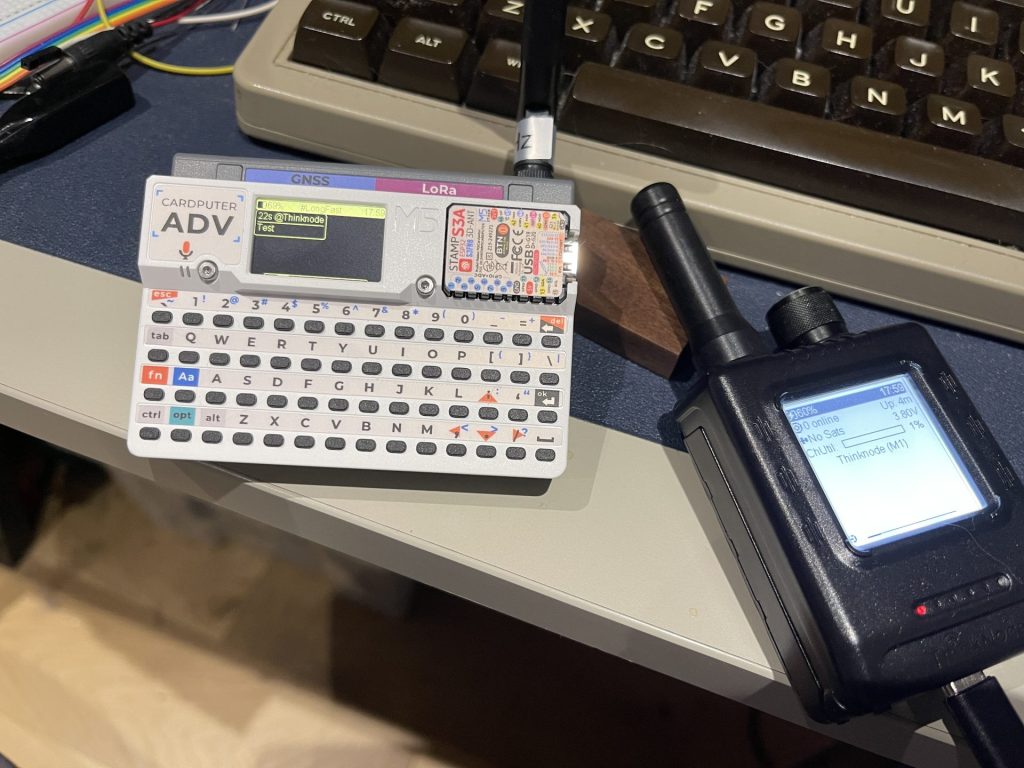
“Yes” typed on the Cardputer keyboard arrived in the app and on the M1’s own screen. The first one showed as “New Message from ?” until node info caught up.
Yes, this is the classic two-nodes-on-one-desk test. It proves the radios work. It tells you nothing about whether anyone else is out there, and it does not take advantage of the Long Range which is the whole bloomin’ point.
It’s cool though I now can make a private network with no SIM card and no internet necessary.
Even with MQTT I have not reached my friend Steve in Canada, yet.
Ignoring for a moment the “no internet” I was excited about, his T1000-E is on 915 MHz, mine on 868, and LoRa does not cross the Atlantic. MQTT is all we got for this. We will try again, but ironically we tried to debug the communications via an actual working communications system so not sure there is any real point.
Elecrow ThinkNode M1 Review Verdict
Software and mesh-tech aside, the ThinkNode M1 is lovely. It’s a small, readable e-ink device that sips power, has GPS on board, and is officially supported by both Meshtastic and MeshCore, so is painless to flash.
It’s nRF52, so no Wi-Fi, which means no MQTT gateway on its own, that said it does what it does through a phone over Bluetooth anyway.
On Meshtastic, on its own, it is a radio with nobody to talk to. With a second one it becomes more handy.
With MeshCore it went from pretty paperweight to a useful device.
Check the local maps for both networks, you might find you are in the opposite mesh situation to me, it does seem to vary a lot based on region.
Price and where to buy
Right now (22 October 2026) it appears in stock at $53.90 (USD) directly from Elecrow, check for local prices and stock using the button below. That’s an affiliate link, so if you buy through it I may earn a commission at no extra cost to you.
(Elecrow sent me the ThinkNode M1 for this review and had no say in what I wrote)
What is running near you, Meshtastic or MeshCore? What else should I test? Let me know!

 TOMLOV DM9 Max Review: A Cheap Microscope Replaced My “Better” One