
The WeCreat Vision Laser Engraver reviews have been turning a lot of heads, not just because of its looks, which we will get into, but also because for many it has taken the “beginner friendly” attention away from Glowforge – quite the feat.
WeCreate Vision has appeared in my YouTube and social media feeds a lot over the last few months so I was thrilled to get an opportunity to review it.
I wanted to see for myself why so many reviewers think it’s a fantastic choice if you’re new to laser cutting or looking for something to use with your family at home.
WeCreat Vision Overview
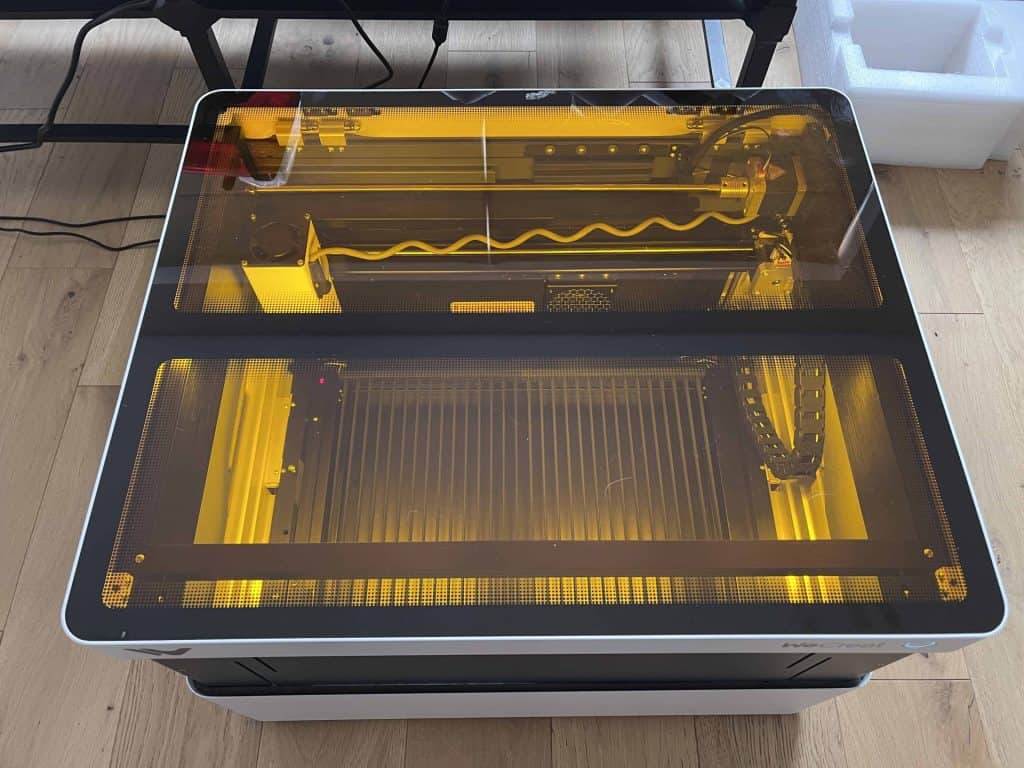
This laser cutter does not look at all like a workshop tool, it really suits being in a home. Its stylish looks and the compact size mean it wouldn’t be at all out of place in a home office or craft room, but at the same time it still has a reasonably usable working area (think of the size of a piece of A3 paper, about 42cm by 29cm). If you don’t have much space and don’t want a big ugly grey box hanging around, this could be just what you need.
As with xTool’s Creative Space, WeCreat supply a free app called MakeIt which is super easy to use over USB and then once set up, over your home WiFi. You can do basically everything you will need to get started right within the app and send it straight to the laser.
For more advanced users there is also LightBurn capability, but I believe without camera support, which is one of the key features for ease of use.
LightBurn Update – September 2024
LightBurn have just released a public beta that supports the Vision Camera – Although it is not the final version yet, it should be released soon
Safety is a big deal, and this laser cutter is designed with that in mind. The enclosure stops fumes plus the laser if you open the lid, which for families is a required feature really.
WeCreat Vision 20W Specifications
The WeCreat Vision is not at all what you would call cheap at $1,600 RRP before discounts, but compared to other fully enclosed laser cutters with equivelant features like the Creality Falcon 2 Pro, it’s actually a solid option, and it is especially good value versus Co2 lasers such as the top of the class xTool P2. At the time of writing there is even $500 off and 0% APR over 12 months if you use my affiliate link (not sure how long that will last).
Let’s see what you get for your investment:
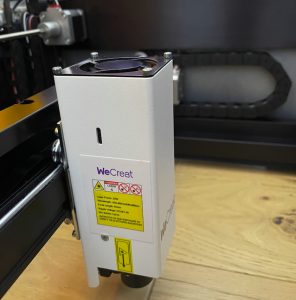
- 20W Blue Diode Laser with 0.08 x 0.10 mm spot size and 10,000 hours projected lifespan
- one click setting for 1,000+ materials
- Autofocus via “Auto Lifting” – Rather than the bed or laser head moving up and down, the entire top of the machine moves providing z height of 1-140mm without Laser bed, 100mm with.
- 600 mm/s with 0.01mm Movement Accuracy
- Cut up to 10mm thick wood (presumably using multiple passes and dropping z on each pass)
- ~A3 working area / 420 x 290mm / 16.54″ x 11.42″
- Batch engraving - Engrave multiple items at once, maximising productivity
- Accessories Included:
- Air Assist pump
- Rotary attachment
- Slat-style laser bed
- HD Camera with 0.5mm precision
- Enclosure with fume extraction Desktop Laser Engraver Machine
- Available Options:
- 2W Switchable Infrared Laser Module
- Conveyor (reminds me I need to try out the one I got from xTool!)
- Air Filter/Extractor
- High CFM Inline exhaust fan
- Optional online membership offers project files, AI generator tool, and image library (6 months free trial with the machine)
Getting Started with the WeCreat Vision
The WeCreat Vision comes pre-assembled with all the components packed inside.
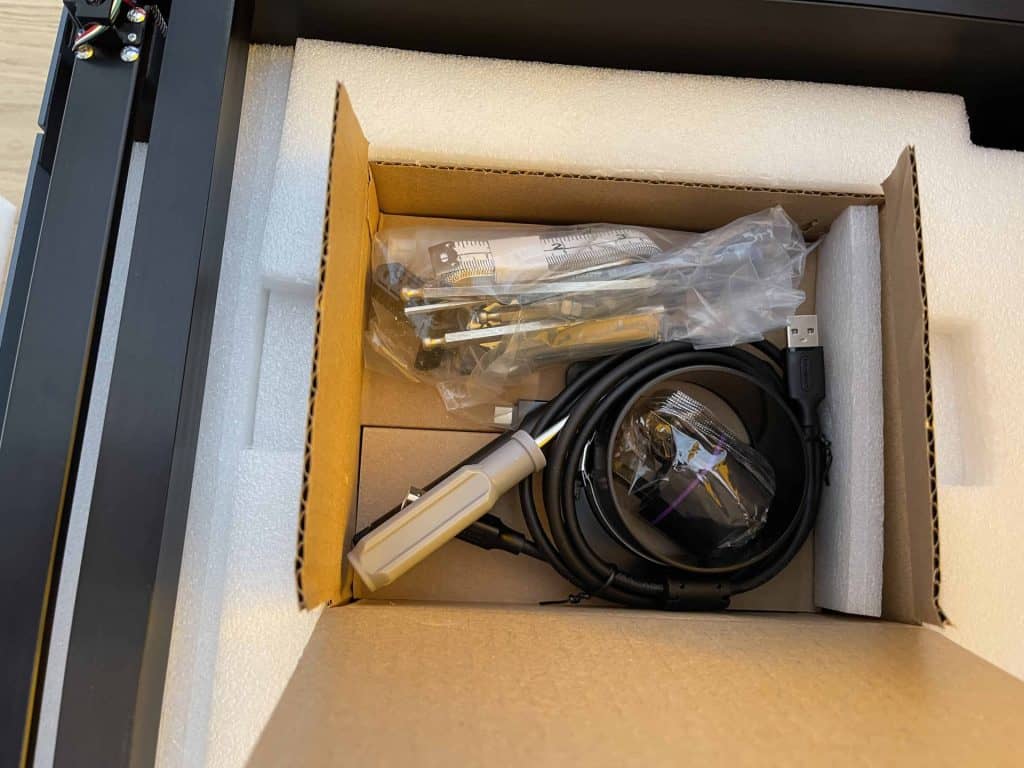
Getting up and running is a case of connecting the power supply, air pump tubing, air extraction ducting, and plugging in your USB cable.
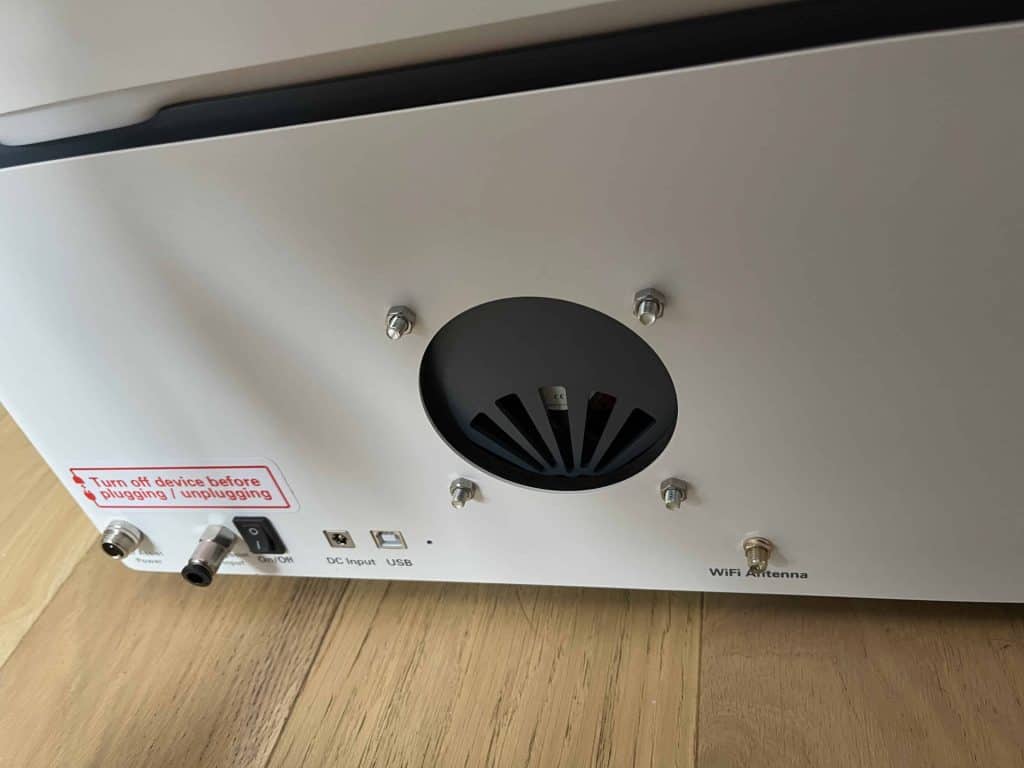
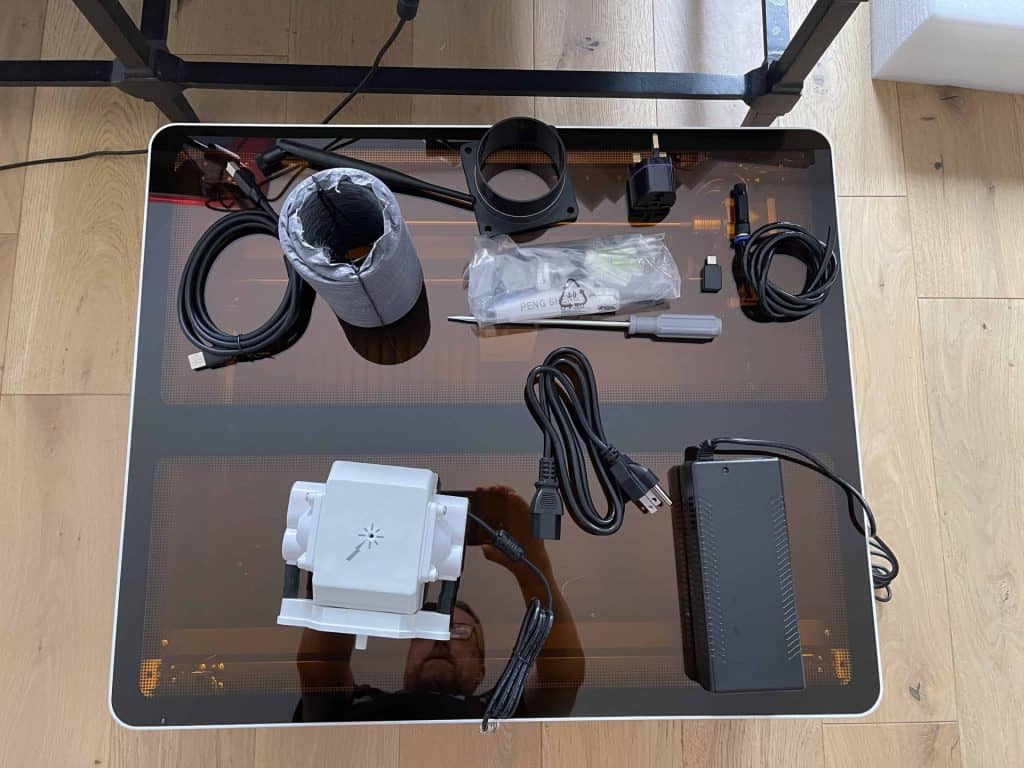
They even provide screwdrivers and a USB-C adapter, which is really nice. Mine came with a UK travel plug adapter for the power supply but you could easily just switch out the power cable.
While it does have LightBurn compatibility, there is an offiicially offered free software that works extremely well and is super friendly. It reminds me a great deal of the xTool Creative Space software that I love.

Optionally the free software offers access to a bunch of example projects and images if you sign up to get the 6 months membership trial.
Standout Features
This laser has some of the most-appreciated features, but it also has one feature that is cool but also … weird? Unlike other lasers that move the laser module/head or the laser bed up and down, it performs focusing by lifting the whole top portion of the laser …
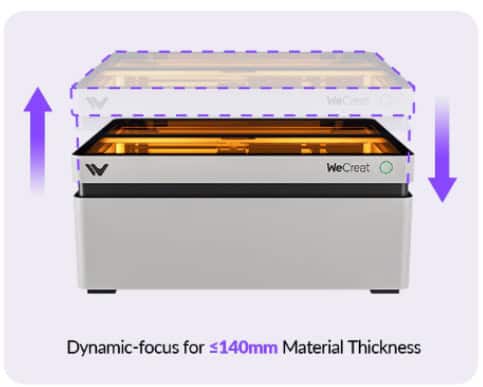
Regardless of how it does it, I love that it has autofocus. This is important as a “quality of life” feature for getting the most out of your machine.
I’ve never seen this approach on other lasers and I have to admit I was stumped why they went this route, but the neat thing is for transport and storage you can lower it down to a more compact height.
After thinking about it, I realized this approach allows you to have the head room of an enclosed laser + riser, for example for when using the rotary tool, but with the ability to shrink back down too. Smart!
Almost an expected feature now is the camera inside the lid. It helps you position things and lay out your material for cutting or engraving. This is great for crafters who want to add custom designs or add personalization touches to existing objects and blanks.
That said, the WeCreate Vision is great for cuts as well as engraves, especially on easier to handle materials such as basswood plywood and thin MDF thanks to the 20W diode, the autofocus, and the included air assist pump. Cuts were super clean with little burning.
It’s not a super-fast, but it is more than capable for one-off projects and prototypes versus bulk orders and production work.
Putting the WeCreat Vision to the Test
As always, I put the machine to the test to see how it compares with the best of my current collection of lasers.
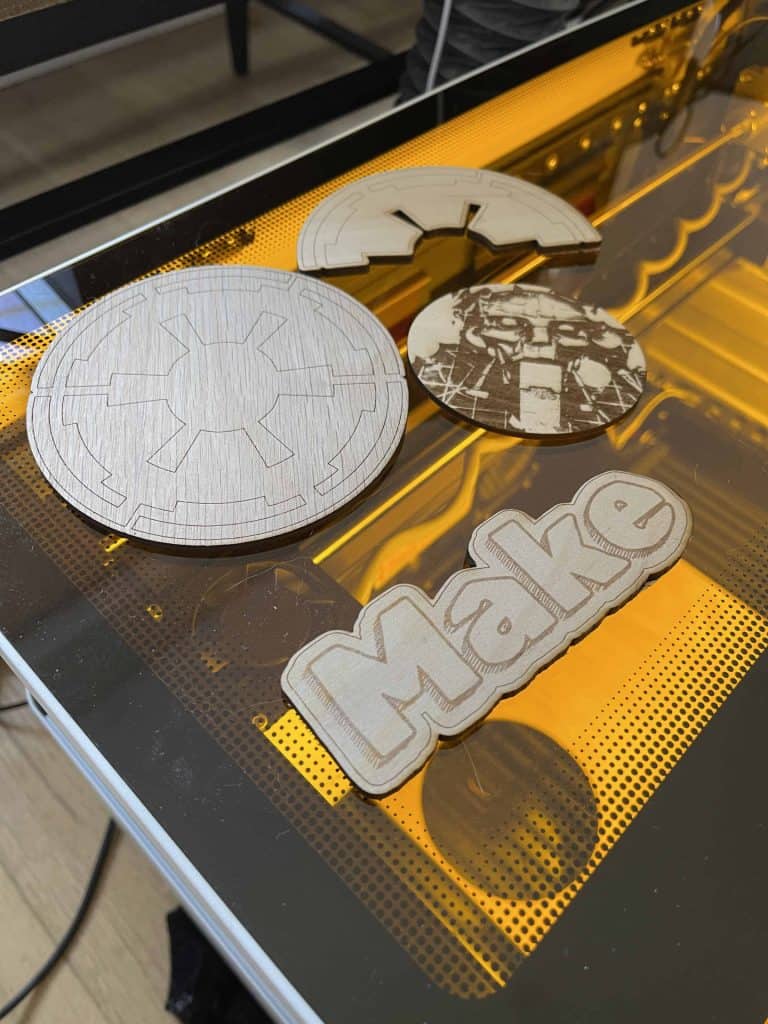
Knowing this is a 20W, I didn’t push it to do things it is incapable of (eg. transparent acrylic), but the tests I did perform would be the kind of real world uses this laser would be put to:
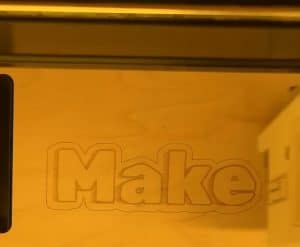
- Vector engraves and cuts on 3mm plywood were clean and precise. For my photo engrave the results would have been much better had I tweaked the settings so if you don’t like it, that is a skill issue on my part not the laser’s fault!
- As expected, using the acquarium style air assist showed much better results for cuts but I would probably still using masking for anything 3mm and above.
- Engraving accuracy tested with camera alignment shows it is indeed accurate within 1mm – impressive.
- It can indeed engrave at 600 mm/s (it does of course produce lighter engravings – going up to 40w would get darker engraves but sacrificing detail).
- Thick plywood cutting gave good results on basswood but I got a lot of burn on harder thick materials.
- No problems cutting 3mm acrylic.
So what do I think of this laser engraver, does it live up to the hype?
Pros:
- Fully enclosed to protect your eyes and lungs.
- Accurate autofocus and camera alignment.
- Red dot to see where laser head is positioned.
- Smooth X/Y motion with steel wheels plus motorized Z-axis for added height.
- Full package with all necessary accessories included.
Cons:
- Software might lack professional configuration options requiring the commercial LightBurn.
- Air assist settings cannot be adjusted on per element basis.
- Smaller working area than comparible competitors
Final Thoughts
The WeCreat Vision is a friendly learning curve, full-package laser engraver with some advanced features.
Overall, I think the WeCreate Vision is an excellent laser for beginners, families, and anyone looking to do some personal projects at home.
It’s easy to use, safe, and packed with features that make it a great value for the price. If you’re thinking about getting into laser cutting and engraving, but don’t want tinkering with lasers to be your hobby, then this could be the perfect place to start!
Get all the details and the current deals at the official website.

 Creality Falcon 2 Pro 60W Laser Cutter Review