

I first wrote this guide in 2023, and a lot has changed since. Machines I recommended have been discontinued, a company I used to send every beginner to is no longer one I would trust with my money, and there are whole types of laser now that were only found in industrial settings back then.
So here is the updated version. The lasers I would actually buy today, depending on your budget and what you want to make. Everything here is a machine I have used myself, with one exception that I will point out when we get to it.
The quick answer
If you just want a name for your situation, here you go:
- Your first laser, and you want it cheap, safe and flexible: the xTool M2, an enclosed laser that also prints in colour. If you want a bigger bed and more powerful laser, the xTool S1.
- You mainly want to mark metal, or engrave at markets and events: the xTool F2, or the F2 Ultra if cutting metal required.
- You want to cut thicker material, clear acrylic, or make products in batches: a desktop CO2, which for me means the xTool P2S, or the OMTech Polar Lite if budget is tight.
- You need capacity and speed, or have outgrown a desktop machine: the xTool P3.
The rest of this article explains why, and what to watch out for with each.
Diode or CO2 first?
This is the decision that matters most, so it is worth getting right before you look at models. I wrote a whole article on CO2 versus diode lasers, but the quick version is this.
Diode lasers are cheaper, smaller, come in lots of shapes and sizes, and are great at engraving. The big limitation is the wavelength: a blue diode laser can’t cut clear acrylic at all, and struggles with some coloured and glittery plastics.
CO2 lasers cut thicker material faster, handle clear acrylic happily, and are what you want if you are making products to sell in any quantity. They are bigger, need proper ventilation, and generally cost more, although the gap is smaller than people think.
Think about what you realistically want to make first, then pick the type, then the model.
1. Enclosed diode lasers

When I wrote the first version of this guide, cheap open diode lasers had a well-earned bad reputation. They were dangerous, with no enclosure, so you needed special glasses and small hands could get badly burned. They filled the room with smoke. They were low powered and slow, so you crawled along and made even more soot.
Most of that has now been fixed, but only if you buy an enclosed machine. I would not recommend an open-frame laser to most people anymore, and if you do get one, budget for an enclosure and ventilation on top.
For most people starting out, my pick is now the xTool M2. It is a fun, fully enclosed diode laser (up to 20w), with air assist and camera alignment built in, but it is more than just a laser. It also prints in full CYMK colour and then cuts the shape out, which gives you a lot more to play with while you find out what you actually enjoy making. More on that in the craft section below.
If you mainly want a laser, and a bigger bed to work on, go for the xTool S1 instead. It’s still one of my all-time favourite lasers, and for good reason. It has a 40W diode option, you can swap the laser head for an infrared module to engrave metal, and it even supports curved surface engraving. The only thing it can’t do is cut clear acrylic, because diode, and it has no camera, so you position your work with a red crosshair instead (which I actually like). My full S1 review covers the gotchas.
The budget pick in the old guide was the xTool D1 Pro, which has since been discontinued, so I have taken it out.
2. Portable dual lasers, for metal and markets

This category barely existed when I wrote the original guide, and it is now one of my favourites.
The xTool F2 combines an infrared laser for metal with a diode laser for wood, leather and the like, in a compact box you can carry. It is quick, it has a preview camera, and I went from unboxing to holding a finished project faster than with almost anything else I have tested. If you want to do engraving while you wait at a craft market, this is the kind of machine to look at.
If metal is the main thing you want to do, the xTool F2 Ultra is the step up. It pairs a 60W MOPA fiber laser with a 40W diode, and MOPA is what lets you do colour marking on stainless steel, not just black marks. It is serious kit for metal makers and small businesses. The limitations are a small work area (unless you get the conveyor) and no air assist, so it is not a general-purpose cutter, but for metal marking and engraving it gives you capability that used to cost a lot more. The older F1 Ultra is still a good machine, but the F2 Ultra is the one I would buy now.
3. Desktop CO2 lasers

This is where most people making products to sell end up, and it is also where my recommendation has changed the most over the years.
For years the Glowforge was the machine I sent beginners to, and I have owned two of them. I do not recommend Glowforge anymore. The company looks shaky to me, and xTool’s machines now do more for less money. If you already own a Glowforge and it is working for you, carry on using it, but I would not buy a new one today.
My pick is the xTool P2S. It replaces the xTool P2 I reviewed, a 55W CO2 laser that is the machine my wife uses most in her business, so it gets a real workout here. It has cameras for positioning, autofocus, and a bigger work area than the Glowforge.
If budget is tight, look at OMTech. When I reviewed the OMTech Polar it was the cheapest branded 50W desktop CO2 on the market, it works with LightBurn, and it is close to plug and play. The Gweike Cloud is essentially the same design, but OMTech has a proper UK and US presence and better support behind it, so that is the one I would choose. The current model is the Polar Lite 55W.
About the old K40: unless your budget is extremely tight or you enjoy tinkering with the machine more than using it, give it a miss. By the time I had upgraded mine to be truly usable, I could have bought something far better.
4. Craft all-rounders
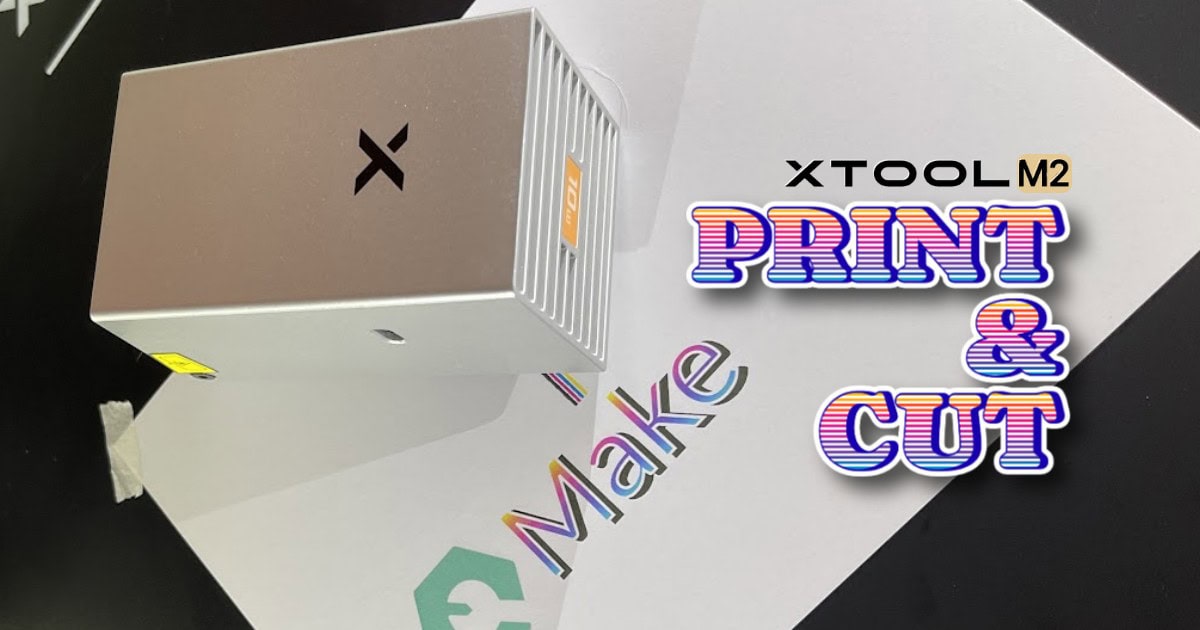
I mentioned the xTool M2 as a first laser, especially for crafty families, but interchangeable heads, including colour ink printing, makes this thing special. It prints full CMYK colour onto wood and card, then cuts the shape out. If you want printed sheet goods, puzzles, cake toppers, tags or layered signs, nothing else really can do this, and I recommend it without hesitating.
Buy it for what it is good at, though. It can’t print on dark materials without white ink (that’s where UV printers come in), and if thicker materials are in your plans, get the 20W version rather than the 10W.
5. When you outgrow a desktop machine
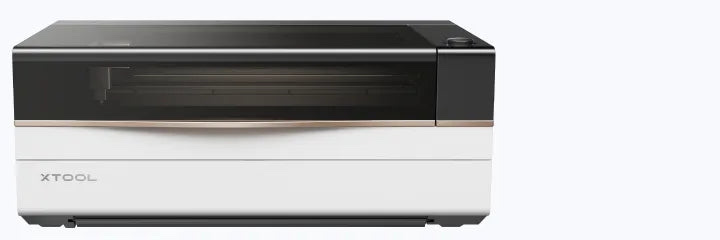
The 2023 version of this guide pointed at a big Thunder Laser for this step. These days I would go with the xTool P3.
I have not used a P3 myself yet but I know how the P2 has held up in daily use, and the P3 builds on it in the ways that matter when you need to scale up. It has an 80W CO2 laser, a working area of 36 by 18 inches, roughly 2x the engraving speed of the P2, and an automatic conveyor and pass-through for long material.
Before you buy anything this size, think about where it is going to live. It needs space, ventilation, and a way through your doors.
Pro tip from our own workshop: rather than one big laser, we ran two desktop machines side by side. That meant two jobs running at once, both on ordinary household sockets, and if one machine needed fixing we could still make products. Most of what we make is small enough for a desktop bed, so it worked out cheaper than one large machine as well.
UV lasers, for glass, crystal and the finest detail
I broke this out as a different section even though it could have gone with the galvo or diodes, and that is because UV is a weird one.
Diode, CO2, and infrared lasers all work with heat: they burn, melt or vaporise the surface. A UV laser works at a much shorter wavelength (355 nm), and its energy breaks the chemical bonds in the material instead of cooking it.
That is why you will see it called “cold” processing, and it changes what you can do:
- Glass and crystal, including engraving inside a solid block, the 3D effect you see in award blocks and keepsakes.
- Plastics and acrylic without melted edges or yellowing.
- Silicone, ceramics and coated metals, which other lasers either struggle with or scorch.
- Paper, card and stickers, with clean edges and no scorching. The tiny spot and low heat make it good at kiss-cutting sticker sheets, cutting through the sticker but not the backing.
- Extremely fine detail. The spot is tiny, so small text and photo engraving stay crisp.
What a UV laser is not is a general-purpose cutter. Power is low (5W is typical) and it is slow at removing a lot of material, so for cutting wood or acrylic sheet a CO2 machine is faster and costs a fraction of the price. Think of UV as the specialist you add when glass, plastics, stickers and fine detail are the work.
The one to look at is the xTool F2 Ultra UV. It is a 5W UV laser in the same portable F2 format, with a 200 x 200 mm work area and dual 48MP cameras for positioning. It is not cheap: £3,699 in the UK at the time of writing (£3,999 RRP), and $4,299 in the US. I have not reviewed the F2 Ultra UV myself, so treat this as a pointer rather than a verdict, but I have used the F2 and F2 Ultra and the platform is a good one.
I am testing a UV laser right now that I cannot talk about yet. When I can, this section will get an update.
Two safety notes. The UV beam is invisible, so do not rely on seeing where it is: keep the shield in place, use glasses rated for UV, and give plastics proper fume extraction. And “cold” does not make every material safe. Real vinyl is PVC, and PVC releases chlorine when lasered, which forms hydrochloric acid that is harmful to breathe and corrodes the machine. That is true for UV as much as any other laser. Sheets sold as laser-safe vinyl are usually PU or PET instead, so check the label, and if it does not say, treat it as PVC and leave it alone.
Fumes, safety and software
Speaking of fumes …
Air assist. Blowing air across the cut improves both the quality of your engraves and the depth of your cuts. Many machines now include it, but check how effective it is before you buy.
Extraction. Get the smoke out of your room. You do not want to be breathing it in. If you can vent outside, do so. If you can’t, a proper filter unit is essential. The xTool AP2 cleared the smell of MDF and acrylic from my workshop, at least to my nose, which is the best thing I can say about any fume extractor.
Software. In 2023 I warned about browser-based cloud software that needs an always-on connection. That is less of a worry now. xTool’s own software is free, works offline, and is great for beginners. LightBurn is still considered the best commercial, offline laser software, but it costs money, so factor that into your budget.
So which should you buy?
If you have never used a laser before, try to get some time on one at a local makerspace, school open day, or a store showroom first. Buying the wrong type of machine is an expensive mistake.
If you are dipping your toes in, start with a fun compact enclosed diode machine like the M2, or the S1 if you know you need a bigger bed, and see how much you use it. Plenty of people find it pays for itself by selling what they make.
When you need to cut thicker material, work with clear acrylic, or make products in volume, you will eventually need a CO2 laser, and that is where the P2S, or the OMTech Polar Lite if you are on a tighter budget, come in.
And if metal is your thing, the F2 and F2 Ultra open up a whole world that simply was not as approachable or affordable when I first wrote this guide.
Happy laser cutting!

 Bambu Lab CyberBrick Review + Getting Started